 NexSms官方博客
First, the conclusion: when a cross-border verification code doesn't arrive, the first thing to do is not repeatedly tap "Resend", but to determine whether the code was actually sent. Many times the problem occurs before sending: the platform doesn't accept the number, the number format is wrong, or the frequency limit has been triggered. In these cases, waiting won't help. Only after confirming the platform has sent it should you check carrier blocking, phone filtering, and network delays.
Follow the steps below, and in most cases you can pinpoint which layer the problem is at.
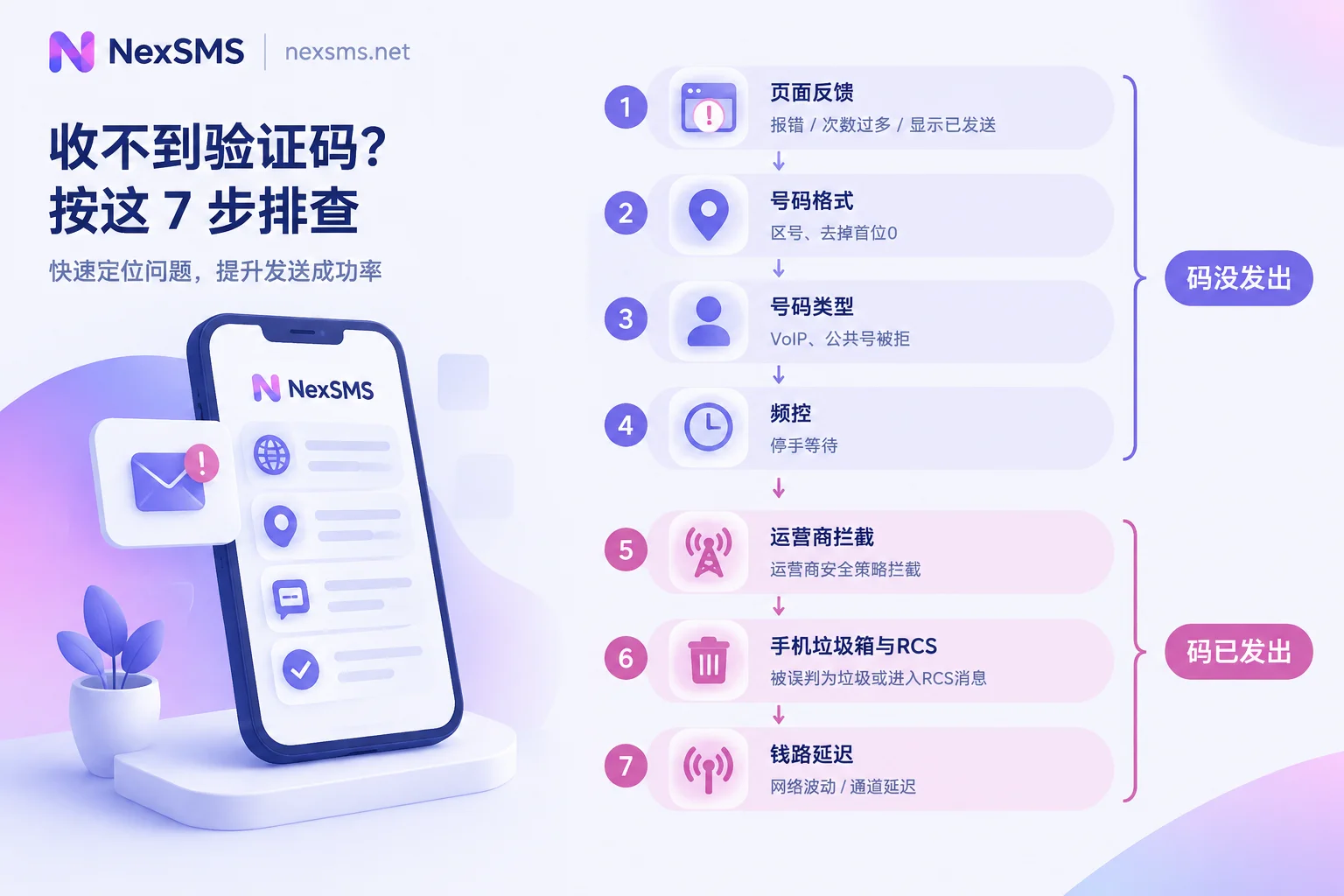
Step 1: Check the feedback on the page
After submitting the number, the page's response itself is a clue:
- Direct error, such as "This number is not supported" or "Cannot send to this number": The platform rejected it before sending. Most likely a number type or format issue, see Steps 2 and 3.
- Message like "Too many attempts": Frequency control has been triggered, see Step 4.
- Shows "Sent", but the countdown finishes and you still don't receive it: The code was likely sent, and the problem is in transit or at the receiving end, see Step 5 onwards.
- No error and no reception, and it happens repeatedly: Some platforms don't explicitly error for unsupported numbers but silently don't send. In this case, check the number type first, don't just focus on phone settings.
Step 2: Verify the number format
The most error-prone aspects for cross-border numbers are the country code and the leading 0:
- The country code must be correct or fully written, e.g., +1 for the US. If the page already has a country dropdown, don't repeat the country code in the number field.
- Some countries' local numbers conventionally start with 0 (e.g., certain UK and Australian number ranges). When writing in international format, this 0 is usually dropped. For example, a UK number 07xxx becomes +44 7xxx in international format.
If the format is wrong, the SMS will be sent to an incorrect or non-existent number, and the platform may still show "Sent".
Step 3: Confirm whether the platform accepts this type of number
This is the most common reason in cross-border scenarios and is often misdiagnosed as "poor signal". Many overseas services have risk controls on number types. Help documentation from platforms like OpenAI and Google mentions that some VoIP or virtual numbers (such as Google Voice, TextNow) cannot be used for verification. The platform looks at the line type behind the number, not just the country of origin. A virtual number with a US area code can still be rejected.
Two other types of numbers often fail:
- Public free receiving numbers: The same number is reused by many people, and it's easily identified and blacklisted by mainstream platforms.
- Numbers that have been used multiple times on the same platform: Even real numbers may be restricted due to usage history.
Each platform's rules differ and can change. The most accurate source is the platform's own help center. Further reading: Why VoIP virtual numbers cannot register ChatGPT, Why free public receiving numbers cannot receive verification codes.
Step 4: Stop if frequency control is triggered
Repeatedly tapping "Resend" in a short time, or repeatedly submitting different numbers, will trigger frequency limits from the platform or SMS gateway. Once triggered, the sending channel is often locked for several hours, sometimes up to around 24 hours. During this period, new requests are rejected, and the more you tap, the longer it lasts.
The solution is simple: stop, wait a while, then try again, submitting only once at a time. Quickly changing numbers may not help either, because some platforms' restrictions target the account or current environment, not just the number.
Step 5: Code sent, check the carrier layer
If you are using a domestic phone number to receive SMS from overseas platforms, carrier blocking policies are a common cause:
- Confirm the number has international and Hong Kong/Macau/Taiwan SMS reception enabled.
- Check whether blocking features for overseas SMS or high-frequency骚扰 are enabled.
Different carriers have different switch locations and activation methods. You can check in the carrier's app or official account, or directly ask customer service "Can I normally receive verification code SMS from overseas?" Some users report restoring reception after adjusting carrier settings, but policies vary by region, so rely on the carrier's response.
Step 6: Check the phone itself
- Look through the spam, harassment blocking, and blocked folders. Built-in security managers often categorize SMS from unknown overseas numbers into these, which is a common reason listed in many phone manufacturers' help centers.
- Check the blacklist and settings like "Filter Unknown Senders".
- If using RCS (e.g., Google Messages chat features) or iMessage, abnormal service status may affect receiving. You can temporarily turn it off and try again.
Step 7: Just slow or lost?
Cross-border SMS goes through multiple gateways and local carriers. Delays of a few minutes during peak times are not uncommon, and in some cases, messages are lost. If the SMS arrives after the verification code expires, you can only request a new one.
While waiting, you can toggle airplane mode or restart the phone to reconnect to the network; if that still doesn't work, consider resetting mobile network settings. This step only solves network issues at the receiving end, not the problem of the platform not sending the code, so it's placed last.
When you need to change numbers: first think about whether you'll need to receive codes again
If the conclusion of troubleshooting is that "this number is not accepted by the platform", you need to change numbers. At this point, the decision on number type is not about whether you can receive this time, but whether this account will need verification again in the future:
- One-time verification only, e.g., trying a service and no longer needing it after verification: a pay-per-use short-term number is enough, use and discard.
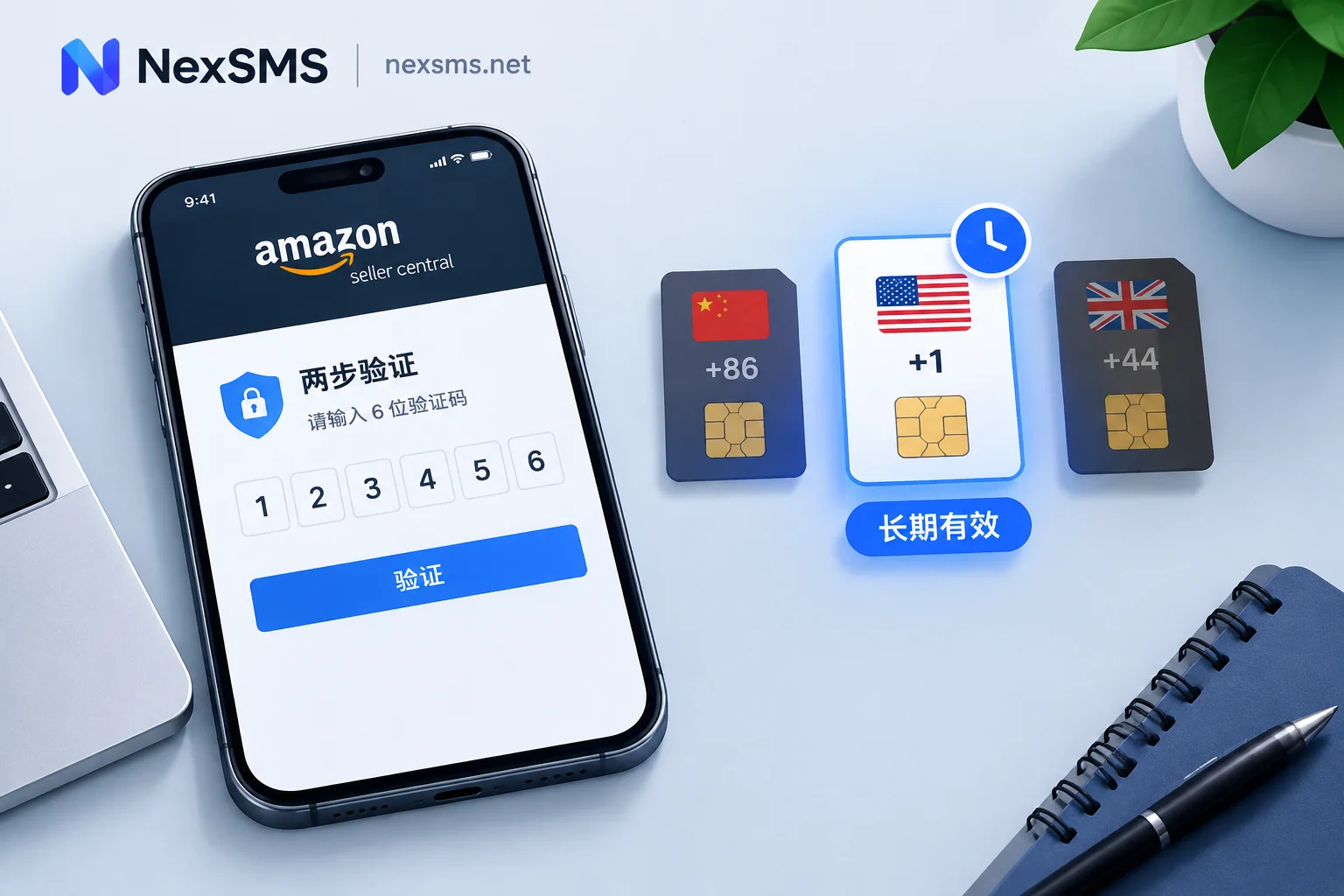
- Subsequent login verification, device change, two-factor authentication (2FA), or account recovery: Short-term numbers expire and can no longer receive codes. Once the platform requires verification again, the account may be locked out. Such accounts are better suited for a real carrier's local number, with renewal before expiry to ensure you always hold the same number.
NexSMS offers both types: short-term numbers are pay-per-use; long-term premium numbers are real carrier local numbers (physical SIM or eSIM, not virtual landing numbers), renewable, with unlimited code receptions during the validity period, and verification codes displayed in real-time on the web page. The differences and renewal conditions can be found on the features page; if you're stuck on a specific app, you can first check the per-app receiving instructions. Whether a number can pass verification is ultimately determined by the target platform's rules at the time; no number can guarantee success; long-term numbers also need to be renewed before expiry to continue holding.
For more detailed selection ideas, see How to choose between short-term numbers and long-term premium numbers.


Comments(0)