 NexSms官方博客
Codex Login Suddenly Requires Phone Verification
Recently, many users have encountered a new situation when using Codex. Accounts that could normally log into ChatGPT now face a phone verification prompt when accessing Codex desktop or CLI. OpenAI has tightened security, mainly targeting free quota abuse. Binding the same phone number to multiple accounts can easily lead to lockouts.
This issue became notably more frequent around May 2026. Users report that the Codex login path is stricter than regular ChatGPT, especially problematic when old phone numbers are invalidated or WhatsApp channels are triggered.
Why SMS Reception Platforms Are Useful
At such times, professional SMS reception platforms become practical. Services like NexSMS provide global temporary numbers that support OpenAI-related verification scenarios. After registering and topping up, users select the OpenAI service and are assigned a number.
In practice, first search for the OpenAI service on the platform. It is recommended to try numbers from India, Indonesia, or the Philippines first, as these regions have a lower probability of triggering the WhatsApp channel. Copy the number, return to the Codex verification page, input it, confirm it is an SMS channel, then send.
Return to the platform and refresh to view the verification code, usually arriving within 30 seconds. Enter it to complete verification. If it fails, the platform automatically refunds credits, so no waste.
Detailed Steps
Step one: Register a platform account. Use email and password to register, then top up via Stripe. NexSMS supports credit cards and cryptocurrency, with a simple process.

Step two: Obtain a number. After logging in, select the OpenAI service, choose a country, and click get. The system immediately assigns a one-time number, deducting a fixed amount of credits.
Step three: Operate on the OpenAI page. Fill in the number, select SMS send, wait for the code, and input it. Note: avoid repeated resends, as they may extend the cooldown period.
Step four: After successful verification, continue using Codex. Some users mention that once verified, they won't be prompted again for a short period, but under strict security, they may need to use the same number again.
Common Misconceptions and Precautions
Many people directly use domestic numbers or randomly pick countries, only to fail to receive codes. OpenAI matches the IP and number country, so try to keep them consistent. Residential proxies are more stable than datacenter IPs.
The WhatsApp channel is another pitfall. When the page only shows a WhatsApp option, don't wait; switch countries and retry. SMS reception platforms mainly handle SMS, not WhatsApp messages.
Veteran users report that repeated verification with the same number can lead to lockout. It is recommended to bind Google Authenticator as soon as possible after successful verification to reduce future risks. Free users have limited quotas; Plus members have a lower trigger probability.
Practical Scenarios
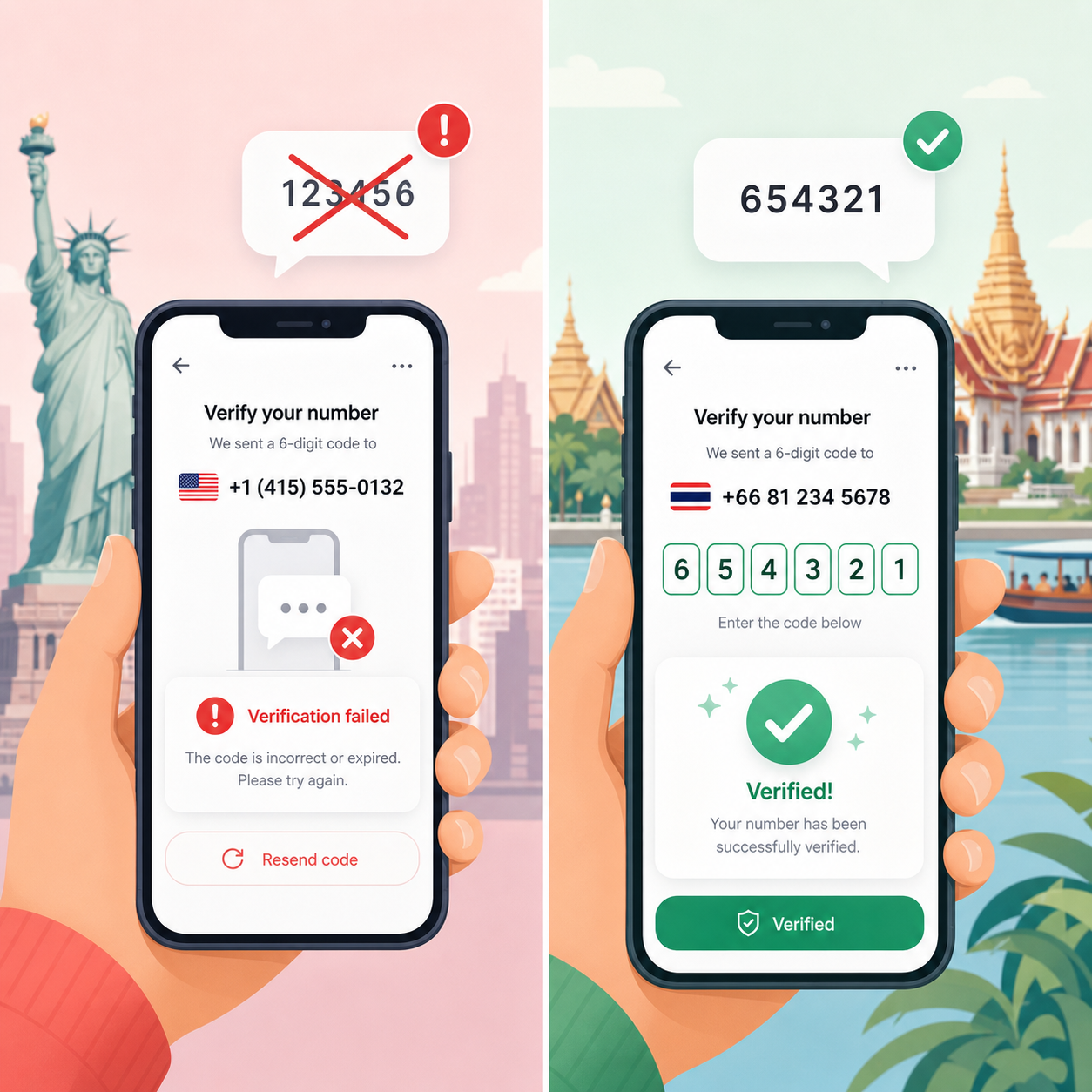
One user used a Thai number, the code arrived instantly, and Codex login was smooth. Another tried a US number but failed, then switched to Indonesia and succeeded. The platform's refund-on-failure mechanism makes trial and error low-cost.
Generating the first API key also often encounters verification. The same phone number can only be used a few times, and SMS reception platforms quickly provide new numbers.
NexSMS Performance in These Scenarios
NexSMS covers over 160 countries and regions, with fast verification code delivery. Users mention that choosing the right country yields high success rates, making it suitable for temporary verification needs like Codex. The platform supports OpenAI-specific services, transparent credits, and automatic refunds on failure.
Extra Tips
Keep the browser environment clean, start fresh profiles, or use fingerprint isolation tools. Use one IP per account, and operate at intervals. Verification codes have short validity periods; input them immediately upon receipt.
If an old phone number is invalid, prioritize the official recovery process. SMS reception platforms are suitable for new verification scenarios.
These methods come from community feedback and actual testing, and results vary by account and network. Trying different countries a few times usually yields a workable solution. Tools like NexSMS streamline the process, saving the hassle of finding numbers.


Comments(0)