 NexSms官方博客
Don't rush to change your number: not receiving the code on your phone doesn't mean it wasn't sent
Many users stare at their SMS inbox waiting for a Telegram verification code when registering or logging in. When it times out, their first reaction is "the number is flagged by risk control," and they hurry to change numbers and start over. But the truth is, Telegram verification code delivery can fail due to two completely different paths: one where the code never goes through SMS but is sent elsewhere, and another where the SMS channel is blocked by the system.
If you don't even identify the first step correctly and immediately switch numbers, you're likely wasting effort—because your original number might be perfectly fine; the code just went to an old device you thought you had "logged out of" long ago. In 2026, with cross-border communication and multi-account management demand remaining high, this confusion is especially common among people working overseas. Instead of repeatedly clicking resend, take two minutes to first figure out where the code is supposed to go.
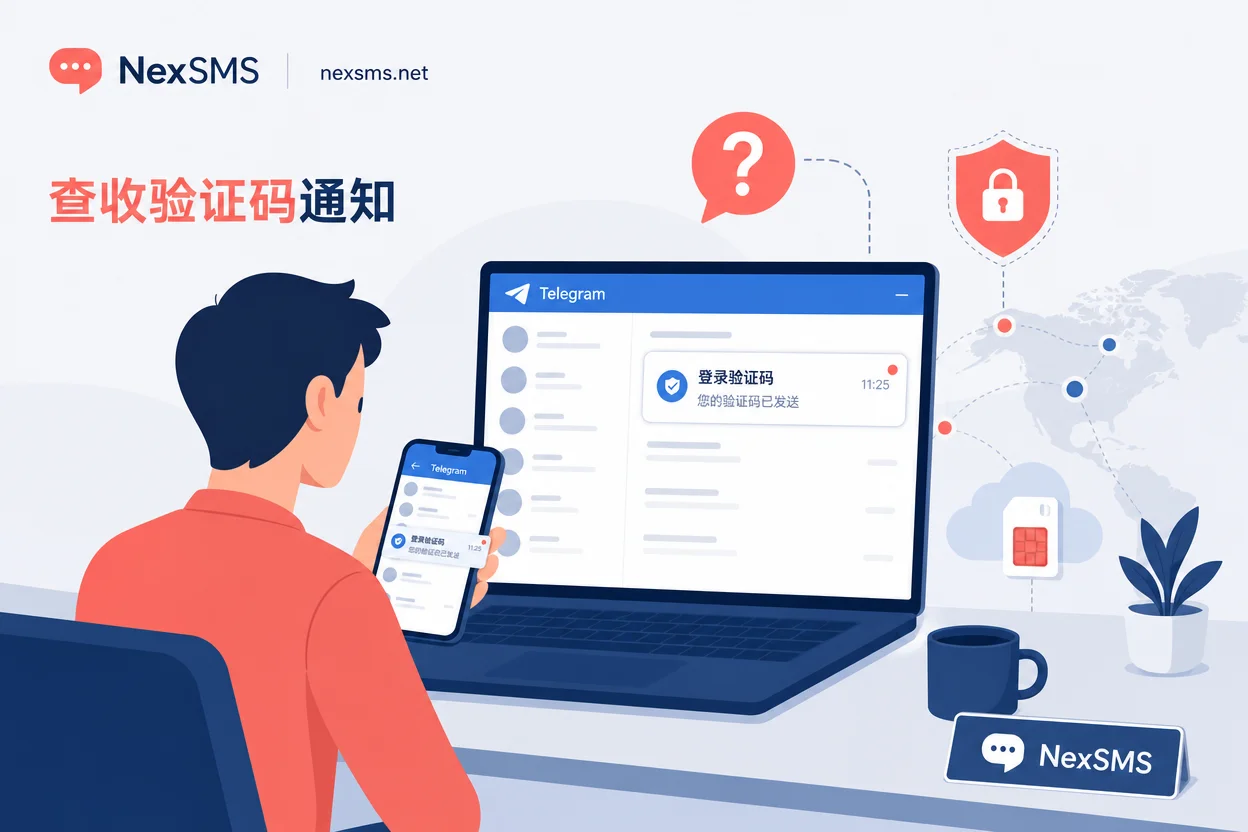
Mechanism-wise: when the account has active sessions, verification codes prioritize in-app notifications
Telegram's multi-device session mechanism determines the delivery path of verification codes. According to the official Telegram Bugs channel, if your account already has active logged-in devices—such as another phone, a desktop client, or a web session that hasn't been logged out—the system will, by default, prioritize sending the verification code via in-app notifications on existing devices rather than directly via SMS.
This is a long-standing mechanism, not a random failure. In other words, if an old session is still online, Telegram assumes "you are operating on one of your devices," so the code is pushed directly to the message list on that device. In this case, your SMS inbox naturally won't have the code, but that doesn't mean it wasn't sent—it just didn't come via SMS.
For the question "Where does the Telegram verification code go?", many people's first instinct is to check SMS, missing the in-app notification. Understanding this, you can avoid mistaking a normal mechanism for a number problem.
Branch one: old devices are still online—where to find this in-app verification code
If your account might still be logged in on some device—like an old phone, tablet, desktop client on an office computer, or an unclosed browser tab—recall and check each one. The verification code will appear as an in-app notification in the Telegram chat list on those devices, not in your SMS inbox.
Specifically: open Telegram on any device that might be online, look at recent messages or notifications, and find a message from the official Telegram account with the verification code. This message typically contains a set of digits; just enter them to complete login.
If you've checked two phones, a computer, and a web client and can't find any active session, or if old devices are lost, damaged, or completely logged out, then the in-app notification route is not an option. Only then should you consider whether the code really went via SMS and was blocked. Don't repeatedly click "Resend SMS," because if active sessions still exist, resending might still use the in-app channel, and SMS still won't arrive.
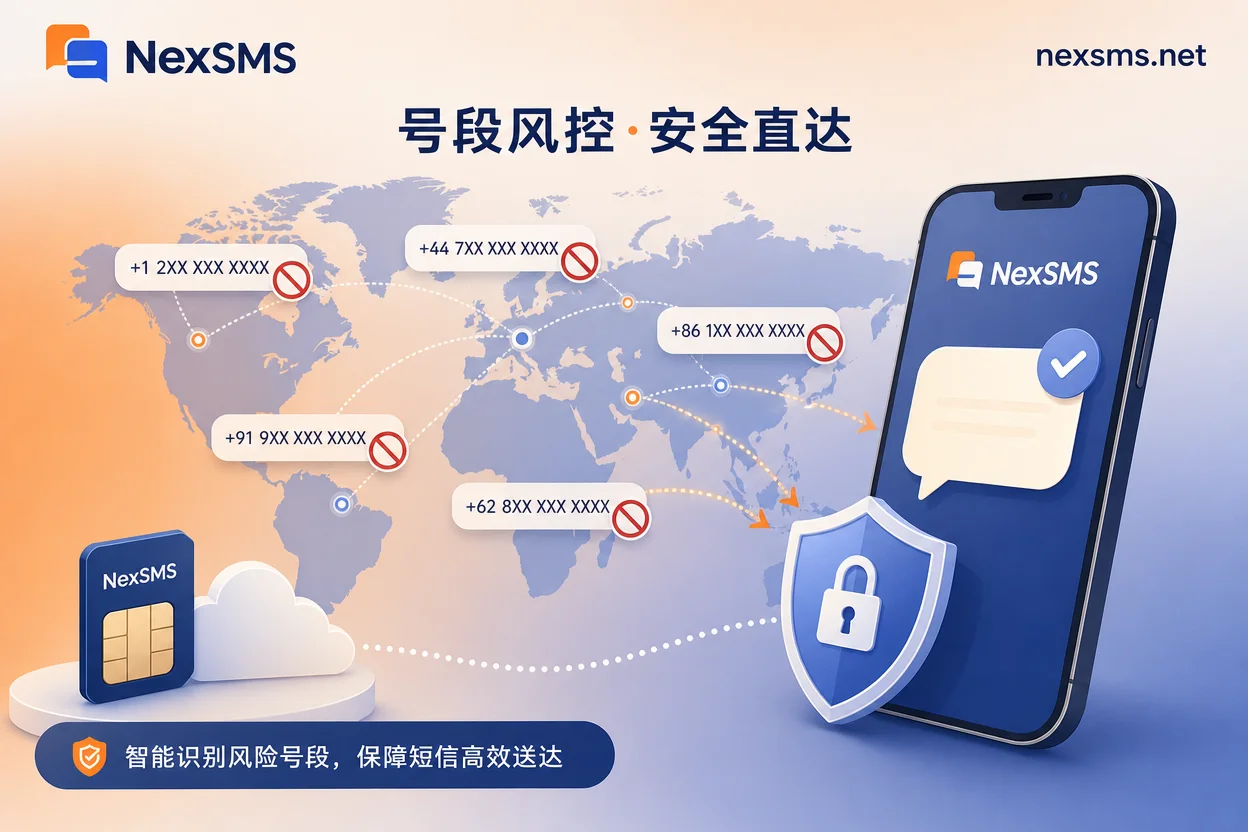
Branch two: SMS genuinely blocked—why shared number segments and recycled numbers are first to go
If you've confirmed there are no usable old sessions and the code should have come via SMS but didn't, you've entered the second type of failure: the carrier number segment is identified by risk control. Telegram has anti-fraud interception mechanisms for the phone number segments used for registration and login; not all numbers enjoy the same SMS channel treatment.
According to Quackr's research, free public shared number segments, numbers that have been recycled multiple times, and some high-risk operator segments are most likely to trigger interception, leading to SMS timeout or direct rejection. These segments are often used by a large number of users for registration, and Telegram's risk control system flags them as high-risk, blocking the code at the sending stage.
If you're using a number from a public SMS platform or bought a secondhand number that has been resold multiple times, it's no surprise you can't receive the verification code. In such cases, repeatedly clicking resend is almost useless because the problem isn't with a single send—it's with the number itself being "remembered" by the system.
Four things to confirm before changing your number
Before deciding to change numbers, go through the following checklist in order to rule out configuration issues. Many users mistake number format errors for segment risk control and waste a perfectly usable number.
First, are the country code and number format completely correct? Especially with virtual or overseas numbers, selecting the wrong country code can send the SMS to the wrong carrier channel. Second, have you triggered resend multiple times in a short period? Frequent requests may trigger rate limiting, temporarily preventing the code from arriving; the correct approach is to wait a while and try again. Third, are there leftover active sessions under your account that haven't been cleaned up? If old devices haven't been logged out, the code will continue to prioritize in-app notifications, and you'll keep seeing "confirmation code sent" prompts, but SMS just won't come. Fourth, does your phone have SMS interception or filtering enabled? Some phone systems and security software block SMS from overseas numbers; rule this out before determining it's a number segment issue.
Only after completing these four self-checks can you be reasonably confident that the problem lies with the number segment itself.
Rearranging carrier numbers: where short-term disposable numbers and long-term local numbers each fit
Once you've confirmed the need to change the carrier segment, choose the type of number based on your account usage scenario. If your purpose is only to receive a one-time verification code and you won't rely on that number after registration, a short-term disposable number will suffice. But if you're running a long-term business account that needs future logins, password recovery, or security notifications, choose carefully.
For a long-term account, binding a short-term number that could be recycled and reassigned at any time is the same as leaving your account security to chance. These numbers are highly likely to trigger risk control again because you can't predict how many accounts have previously used them. The benefit of a long-term local number is that the segment is relatively clean with a traceable usage history, significantly reducing the probability of "no SMS for Telegram login verification."
This doesn't mean all virtual numbers are blocked, but you need to distinguish which scenarios suit low-cost disposable SMS and which deserve long-term stability investment. Number asset management is an often-overlooked part of the Telegram verification code troubleshooting chain.
Using NexSMS: legal use of country selection, web-based code reception, and API receiving
In the specific case where "the SMS channel is blocked by risk control and you need to change the carrier segment," NexSMS can serve as a legitimate supplemental number resource. It offers multi-country number selection through its official website, supporting direct code reception on the web without local hardware.
You can choose numbers from corresponding countries based on your target business region, using short-term disposable numbers for temporary verification and renewable long-term local numbers for accounts that need long-term support. For developers with automation needs, NexSMS also provides API interfaces and usage-based options, making it easy to integrate verification code reception into your own business processes.
The underlying logic is business number isolation: separating Telegram work accounts from your personal primary number not only reduces the risk of your primary number being flagged but also facilitates managing number lifecycles on a per-project basis. NexSMS is positioned as a legal verification tool; it doesn't guarantee registration success, but if you've worked through the troubleshooting chain to this point, it gives you a more controllable option than randomly trying public numbers.
Pre-action self-check checklist
Finally, the entire decision chain is compiled into an actionable order. Go through the following steps before deciding whether to change numbers.
- Confirm whether there are active login devices on the account: if yes, check in-app notifications first; if no, proceed to the next step.
- Check Telegram messages on all potentially online devices for an official verification code.
- Verify the country code and number format, and ensure the resend count hasn't exceeded a reasonable limit.
- Rule out SMS interception or filtering rules on your device.
- Determine whether the number is a shared segment or recycled number flagged by risk control.
- When deciding to change the carrier segment, choose short-term or long-term numbers based on your business cycle, and separate long-term work accounts from your personal primary number.
By following this process, most Telegram verification code reception issues can be resolved before you change your number.


Comments(0)