 NexSms官方博客
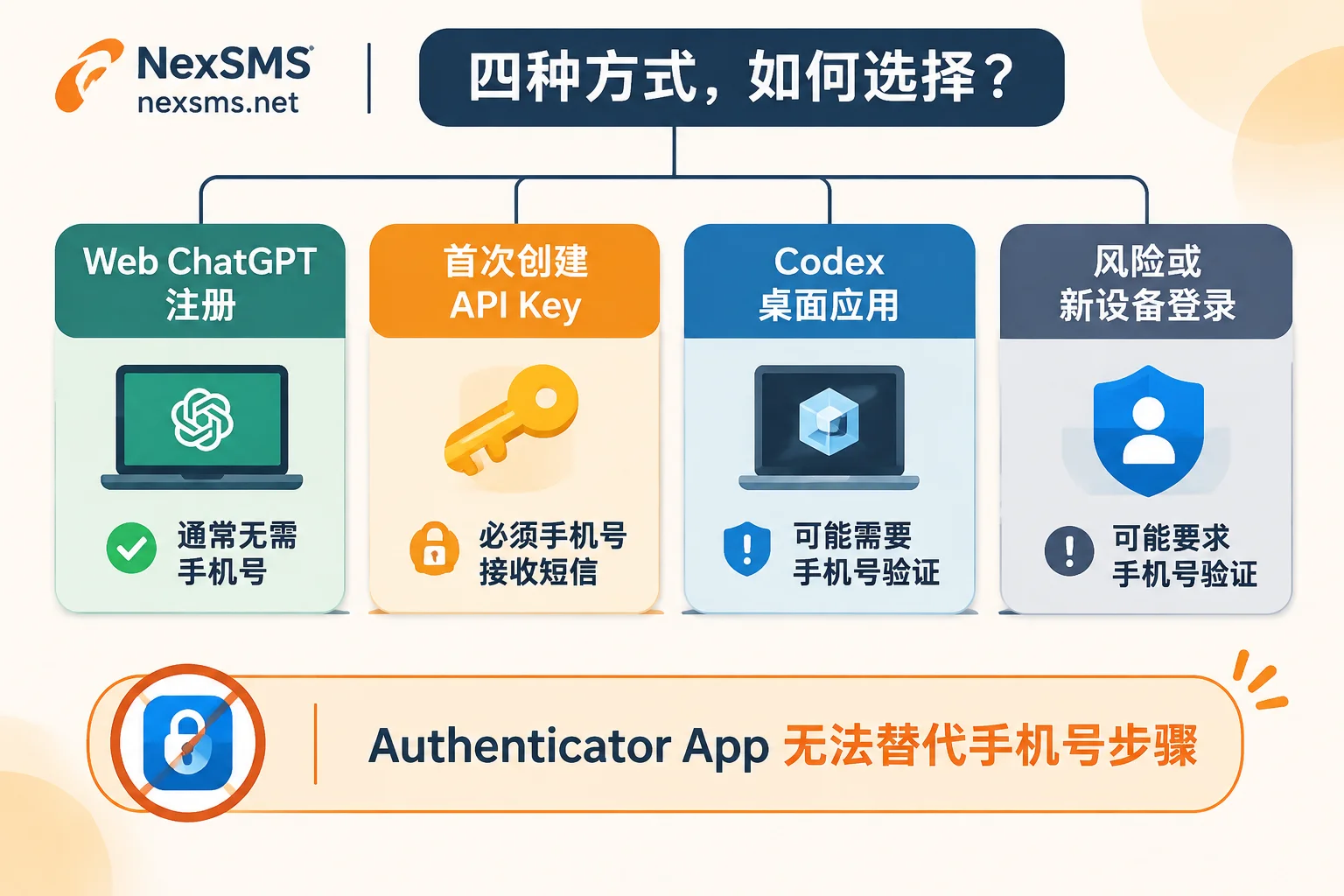
In 2026, registering an OpenAI account and using ChatGPT for daily chats on the web or mobile app usually no longer requires ChatGPT phone verification; however, as long as you platform.openai.com generate your first API Key (mandatory), or open Codex (may trigger) on the ChatGPT desktop, or trigger login risk control, the system will still ask you to enter a phone verification code. Moreover, OpenAI officially stipulates that email and authenticator apps (such as Google Authenticator) cannot replace this step.
Many people search around and see others saying "you can register without a phone number," but when they open the desktop or try to get an API Key, they get stuck by a pop-up, and after choosing a cheap country, they still can't receive the SMS. Below, we clarify the latest trigger scenarios in 2026, the hidden code routing pitfalls, and number selection methods in one go.
When Exactly Does ChatGPT Phone Verification Get Triggered?
The reason online opinions conflict is that OpenAI separates the "ordinary chat entry" from the "high-privilege development entry." You can directly refer to the table below to determine whether you must pass this step:
| Operation You Are Performing | Phone Verification Required? | Additional Notes |
|---|---|---|
| Registering an account / daily ChatGPT chat | Generally not required | Use a common email or third-party login; exceptions are a few gray-area regions that only allow phone number registration |
Generating the first API Key on platform.openai.com | Verification required | Only the first Key creation requires verification; subsequent API Key generation does not require it again |
| Opening Codex on desktop (macOS/Windows/Linux) | May trigger | Even if web chat works fine and you have Plus/Pro membership, it may still pop up |
| Frequently switching network nodes / logging in from new devices / enabling SMS MFA | Depends on risk control | If you have an authenticator app or passkey bound, daily login usually only requires the authenticator for MFA |
If you are just having ordinary conversations, you can skip the number-hunting step when you see "registration without phone"; only when you are blocked at the first API Key or Codex interface do you need to prepare a supported real mobile number to complete verification.
Why Can't You Receive the Code Even After Choosing a Number? The 3 Most Common Hidden Pitfalls
Many people buy an overseas number and wait for minutes without receiving any SMS, eventually exhausting the retry limit. In 2026, the most common issue is not "the platform is broken," but the following three details not being aligned:
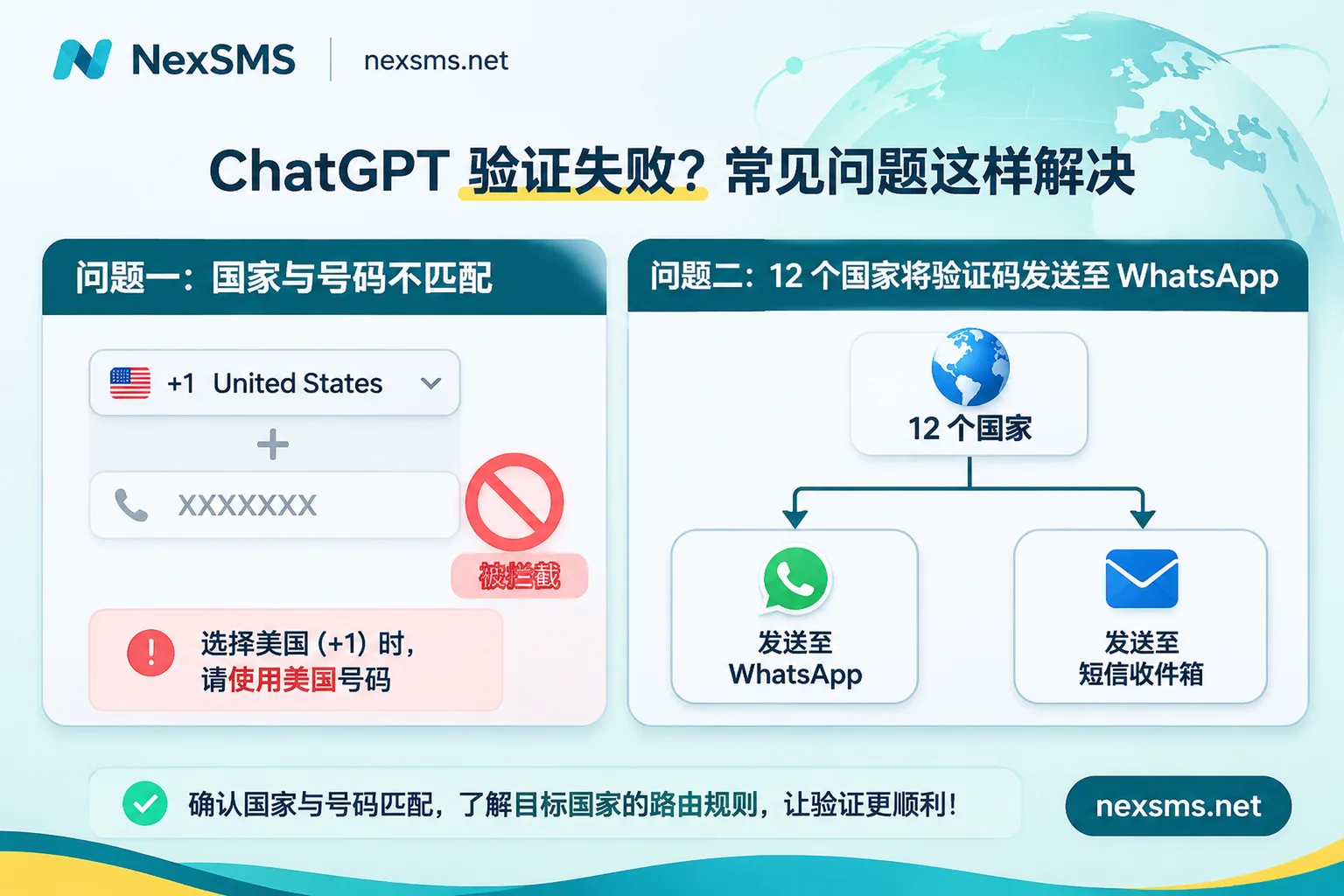
1. The "WhatsApp Priority Code Sending" Routing in 12 Countries
According to the latest OpenAI Help Center, verification codes can only be sent via SMS or WhatsApp in specific regions, and do not support email or voice call. In the following 12 countries and regions, the system may prompt that the one-time verification code will be sent to the WhatsApp associated with your number, rather than a regular SMS inbox:
- Middle East and Africa: United Arab Emirates (AE), Egypt (EG), Israel (IL), Nigeria (NG), Saudi Arabia (SA)
- Asia and Eastern Europe: India (IN), Indonesia (ID), Malaysia (MY), Pakistan (PK), Turkey (TR), Ukraine (UA), Vietnam (VN)
Many users follow old tutorials and specifically choose low-cost number segments from Indonesia, India, Malaysia, or Vietnam, only to find that the pure SMS reception numbers they bought cannot receive WhatsApp messages—the code was actually sent, but routed to the WhatsApp channel.
How to avoid: When selecting numbers on the reception platform, try to avoid the above 12 regions and prioritize countries that default to pure SMS channels (such as the United States and other supported regions); if the page explicitly says "code will be sent on WhatsApp," see if you can switch back to SMS; if not, do not use a number that only receives SMS and wait stubbornly.
2. The Country Code Dropdown Defaults to +1 (United States)
The country code dropdown on the OpenAI phone verification page defaults to the United States (+1). If you bought a number from the UK (+44), Japan (+81), or another country, and paste the number directly into the input box without switching the country code, the system will parse the number as a US number, and the code will never be sent.
3. Clicking "Resend" Repeatedly After 1 Minute
Continuously clicking to resend the verification code can easily trigger OpenAI's request rate limiting (prompting too many requests), forcing the account into a cooling-off period, which actually slows down the process. After sending once, wait patiently for 1–2 minutes; if there is still no SMS, first check the country code and delivery channel (SMS or WhatsApp), then consider changing the number.
4 Hard OpenAI Rules You Must Align With Before Verification
Before selecting and ordering a number, it is advisable to thoroughly understand the platform rules to avoid wasting money:
- Only real mobile numbers are accepted: OpenAI explicitly does not support landlines, VoIP, Google Voice, or paid premium numbers, as these segments are considered high risk for fraud and abuse (for the principles of line identification, see our analysis: Why VoIP virtual numbers cannot register for ChatGPT).
- A single number can verify at most 3 accounts: One phone number can complete at most 3 phone verifications on OpenAI (exceeding this will be rejected, and the official policy explicitly does not allow exceptions). Only after a non-violating consumer account is permanently deleted will the bound number be removed from the system after 30 days and released again.
- Changing or unbinding phone numbers is not supported: Neither ChatGPT nor OpenAI API currently provides a function to change or update the phone number bound to an account (for detailed consequences, see: Why changing the bound phone number is not supported).
- Authenticator apps cannot bypass phone verification: Even if you have bound an authenticator or passkey in account security settings, the phone verification pop-up will still appear when entering Codex or generating the first API Key.
How to Reliably Pass Verification Without an Overseas Phone Number?
Since you cannot change the bound number, the core question before choosing a number is: Will you need to receive another code with this number in the future? (For more detailed selection logic, refer to this article: How to choose between short-term and long-term premium numbers).
- Scenario A: Only for generating the first API Key, or a one-time verification
Subsequent daily logins are managed via email/password and an authenticator app (TOTP), and you do not need SMS to recover the account. In this case, a short-term ordinary number is sufficient—pay-per-use, one code per number, low cost; but note that short-term numbers cannot be renewed, nor can the same number be used to receive a second code. - Scenario B: Long-term running Codex desktop, team maintenance of multiple accounts, or planning to enable SMS two-factor authentication
Because OpenAI does not support changing the bound phone number, if you later change computers or clear cache and trigger re-verification, a one-time number becoming invalid will put you in a very passive position. For such core accounts, it is recommended to directly use long-term premium numbers—these correspond to real carrier local physical SIM cards and eSIM lines (not virtual landing numbers), allowing unlimited code receptions on the same number within the validity period; you can renew before expiration to continue holding it, making it more reliable for account preservation and re-verification.
For specific operations, you can complete verification via NexSMS in 4 steps:
- First open the dedicated ChatGPT phone verification page on NexSMS to view common verification prompts, or go to the feature comparison page to confirm whether you need a short-term or long-term premium number; then log in to the NexSMS console to top up (supports Alipay, WeChat, and USDT/BTC cryptocurrency; account balance does not expire for a long time).
- Under the OpenAI service, filter numbers by country (you can also first check the country-based number directory for details of each country code); before ordering, check the current price, real-time inventory, and applicable notes, avoid the 12 WhatsApp-routing countries mentioned above, and prioritize countries with pure SMS channels and real mobile number segments.
- Return to the OpenAI verification pop-up, first change the corresponding country code, then enter the obtained number and confirm sending via SMS; then stay on the NexSMS web page and wait—the received verification code will be displayed on the page in real time.
- If you encounter "this number has reached its usage limit" or have not received the code after waiting 1–2 minutes, stop and do not click resend repeatedly; change to another country/number segment and get a new number; if you have questions during the process, you can contact 24/7 Telegram customer service at any time.
Two boundaries need to be objectively stated: First, do not use free public numbers to verify formal ChatGPT or API accounts—although NexSMS also provides free public numbers (you can see codes after logging in), the verification codes are visible to everyone, and public numbers are almost always already at the 3-time limit and are likely to be rejected directly (see: Why free public numbers are unsafe). Second, no code reception platform can guarantee 100% success in all environments; whether you pass the review ultimately depends on OpenAI's risk control rules at the time and your local network and environment status; it is recommended to complete verification with a clean and stable network, and after passing, add an authenticator app in account settings as MFA protection for daily login.
Quick FAQ
1. I already have a ChatGPT Plus or Pro membership. Why do I still need to verify my phone?
A paid subscription does not cancel the mandatory phone verification for generating the first API Key; some accounts may also encounter a phone verification prompt when opening Codex on desktop.
2. Will I be charged if I don't receive the verification code? How many days can short-term and long-term numbers be used?
The specific number prices, available inventory, validity days for short-term and long-term numbers, and refund rules are subject to the real-time display on the NexSMS official pricing and order page. Please check clearly on the page before ordering.
3. How can teams or programmatic businesses receive codes in bulk?
NexSMS supports integrating number acquisition and code reception into automated programs via a developer API, and can be viewed in parallel with the web page; because there is no public self-service API documentation, if you need integration, just contact Telegram customer service to get the connection method.