 NexSms官方博客
First, the judgment
The first variable that determines the success of a Telegram registration is not the country code, but the number attribute: numbers from real mobile carrier networks (physical SIM or carrier eSIM) have significantly higher pass and survival rates than VoIP and internet phone virtual numbers. Only under this premise does choosing a country make sense.
- Priority: Real carrier numbers from the US +1, UK +44, and most Western European countries. Full feature permissions, no additional private chat restrictions after registration.
- Usable but with a cost: Mainland China +86. Registration itself can be completed, but new accounts usually default to "two-way contact restriction", cannot initiate private chats with non-two-way contacts, and need additional appeals; some carriers also frequently block international SMS.
- Avoid: Public free numbers, known VoIP number ranges (Google Voice, TextNow, etc.). These numbers are most likely to be rejected at the phone number submission step, or receive a ban notice within minutes after successful registration.

Why "which country" is not the first question to answer
Telegram has built-in anti-abuse and anti-bot filtering that detects and blocks known VoIP and low-cost virtual number ranges. Typical manifestations are two: one is that after entering the number, it directly prompts Phone number invalid, and no code can be received at all; the other is that the verification code is received and the account is created, but upon opening it shows This phone number is banned.
These two errors have nothing to do with the country. Similarly for +1, a real carrier US number may pass on the first try, while an internet phone number that has been shared by many may not even send the verification code. So the number selection order should be: first confirm the number type → then choose the country → then consider how long to hold it. Reversing the order easily leads to the situation of "tried three countries and all failed", when in fact the blocker has been the same from beginning to end.
The specific trouble with +86 comes after registration
If you have a domestic number at hand and want to use it for convenience, you need to know what you'll encounter:
- Two-way contact restriction: Accounts registered with +86 usually cannot initiate private chats with users who are not two-way contacts by default, and the other party may also be unable to send messages. The way to lift this is to submit an appeal to the official anti-spam bot; whether it can be lifted and how long it takes is determined by the official, not guaranteed success.
- SMS interception: Some carriers have strict filtering of SMS from overseas services, and the verification code may not reach your phone at all.
So the scenarios suitable for +86 are actually very narrow: you only need to log into an existing account, only view content in groups and channels, and do not need to actively private chat with strangers. As long as active contact and external communication are involved, switching to an overseas number will save you a series of appeals later.
Common country numbers: the problem is not permissions but number range quality
Common locations like the US, UK, and Germany have full permissions in Telegram, without the default restrictions of +86. The trouble is that these countries have the most low-quality virtual numbers on the market—precisely because demand is high, number ranges that have been repeatedly shared and bulk-registered are concentrated here.
The criterion is practical: whether this number is issued by a real carrier and whether only you are using it. Public display free number pages allow anyone to see the inbox; the same number may have been used by dozens of people to register Telegram, and risk control flags have long followed it. Such numbers can be used to test whether a platform can receive codes, but are not suitable for registering an account you plan to use long-term. For the difference, refer to Selection order for private temporary numbers and public free numbers.
Before choosing a number, first answer "how long do you want to use this account"
This step is more easily overlooked than choosing a country, but the cost is the greatest.
Telegram has two logics for where verification codes go: if you are still logged in on other devices, the verification code will be sent preferentially to the Telegram app on that device; but if you have no other devices online, or actively log out and change phones, Telegram will still require SMS verification.
This means: for an account registered with a one-time short-term number, once all devices go offline or you change to a new phone, the number has long expired and cannot receive SMS again, and the account is basically irretrievable.

Based on this, divide them:
- One-time use (trial, temporary access to a group, no long-term maintenance after registration): Short-term numbers are sufficient, billed by usage, very short validity, and end after one verification.
- Long-term accounts (work contacts, bound to other services, will need to log in on new devices later): Must choose a number that can be renewed and can repeatedly receive codes within the validity period. The cost difference at the moment of registration is not large; the difference is whether you can still receive codes when you change phones half a year later.
On NexSMS these two are separate: short-term ordinary numbers are used up and done; long-term premium numbers are real carrier local numbers (physical SIM and eSIM, not virtual landing numbers), renewable, unlimited code reception within the validity period, real-time code viewing on the web. The applicable scope and renewal conditions for both are clearly explained in Features and Number Type Description; after deciding which country you want, go directly to the corresponding country page to choose a number, for example US Number Page, for other countries just replace the country name in the path. Inventory and prices change, subject to what is shown on the official website at the time. Long-term numbers are not permanently held after purchase either; failure to renew before expiration will also cause invalidation. For the timing logic of number recycling, see Will virtual numbers be recycled by carriers.
The network environment must match the number
Even if you choose the right number, you may still be banned, usually due to a problem in the environment. Telegram records the device fingerprint and exit IP at registration. The following situations have significantly higher risk:
- The exit IP belongs to a data center segment and has been flagged by a large number of registration behaviors;
- The IP location severely conflicts with the number's country of origin (e.g., using a remote data center IP to register a European number);
- The same device and same network exit attempt multiple numbers in a short time.
The actual approach is not complicated: during registration, let the network exit roughly match the number's location, register only one account per device at a time, and if it fails, troubleshoot the cause before changing numbers—do not continuously change numbers and force attempts, as continuous failures themselves are risk control signals.
If you maintain multiple overseas accounts simultaneously, browser environment isolation between accounts is handled by NexBrowser, network exits by NexIP, email and identity by NexMask, and the number and code reception segment is what NexSMS is responsible for. With clear division of labor, you know which layer to adjust when troubleshooting.
An order you can follow
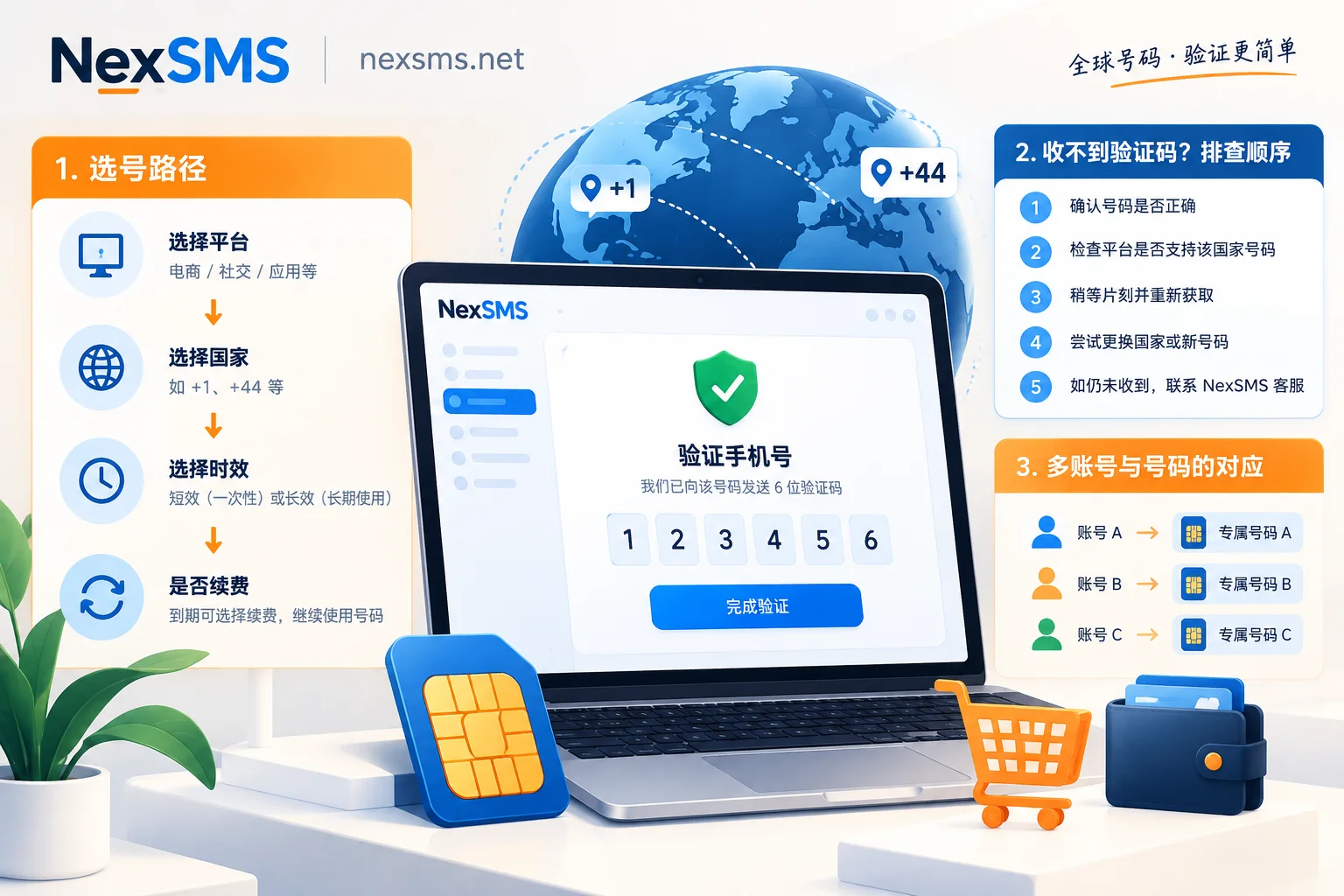
- Clarify the purpose: one-time or long-term holding, which determines whether you buy short-term or long-term.
- Choose the country: by default, pick from countries with full permissions like the US and UK; adjust if you have a specific regional need.
- Confirm the number attribute is a real carrier number range, and it is private, not a publicly shared number.
- First adjust the network exit to match the number's location, then open Telegram.
- Enter the number, receive the code, complete registration. When unsure whether the platform can receive codes, first try once with a free number to confirm the link works, then decide which to buy.
- Immediately after registration, set up a two-step verification password and stay logged in on another commonly used device. This step leaves you a way out if the number becomes invalid.
If you don't receive the code or get a ban notice, troubleshoot in this order
- Code never arrives: Don't change the number yet. Wait for the platform's resend interval before clicking again; resending too frequently will extend the cooldown. If still nothing, check whether the number type is judged as VoIP. For the complete troubleshooting order, refer to What to do about verification code delays.
- Prompts "Phone number invalid": Most likely the number range itself is blocked; switch to a real carrier number, do not repeatedly try on the same number.
- Immediately prompted as banned after registration: Check both the number and the environment. Continuing to change numbers in the same environment will likely yield the same result; first address the exit IP, then change the number. Telegram provides an appeal channel; whether the ban can be lifted is determined by the official.
- Old account can't receive code on a new device: If the original number has expired, this path is basically blocked. This is also why long-term accounts should use renewable numbers from the start.
A few things not to treat as definitive conclusions
Telegram has never publicly disclosed its complete list for identifying VoIP and high-risk number ranges, and the judgment rules are continuously adjusted. So claims like "a certain country will definitely pass" or "a certain number range is always safe" are untenable—including the country ranking in this article, which is only a currently safer default choice, not a promise. Whether any number can pass verification is ultimately determined by Telegram's rules at the time.
The same logic applies to other platforms, but the rules differ; do not directly apply Telegram's experience. For example, OpenAI's supported country list and verification timing are a different set; see Which country's phone number to use for OpenAI registration. For code reception instructions by target platform, start from Code reception instructions for various apps.
Finally, a reminder: the above is for verifying accounts you legally use yourself. Bulk registration, receiving codes on behalf of others, and bypassing real-name requirements are outside the scope of discussion.


Comments(0)