 NexSms官方博客
Regarding the core need of changing your Apple ID phone number to an overseas number, the swap must be initiated from a signed-in trusted device or the official webpage security settings, and your account must always retain a number that can receive codes. Ignoring this prerequisite can easily trap you in account recovery issues. Below, we analyze a typical failed swap to explain the boundary rules.
Failed Swap Review: Short-Term Number Broke Recovery Chain
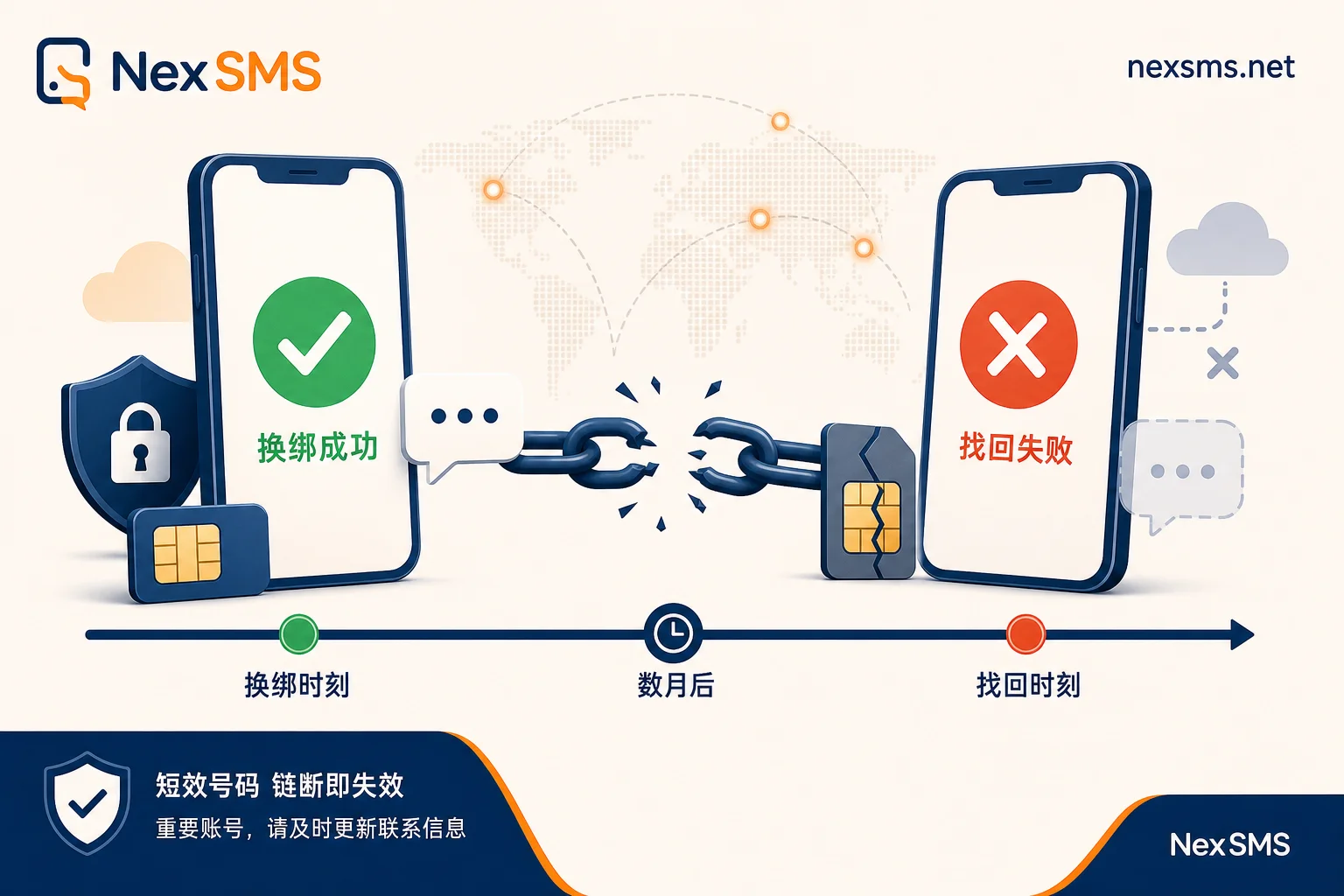
On a trusted device, the user replaced the domestic primary number with a short-term overseas number. The SMS verification arrived immediately, and the swap appeared successful. Months later, re-verification triggered by switching to a new device revealed that the short-term number could no longer receive any messages. With no available trusted device and no way to receive codes via the old number, the account fell into an "isolated island" state.
The key to this failure was misjudging the number's "lifecycle." Short-term numbers are typically used for one-time verification and lack the ability to reliably receive codes over time. At the moment of swapping, the system can only verify that a code was received; it cannot predict whether the number will remain under your control. This makes it easy to overlook the hidden risk that you might not receive codes later, despite currently receiving them. Successfully swapping does not mean long-term account recovery—these are two different concepts.
Boundary Rules for Trusted Phone Numbers
From the above case, we can extract three hard constraints Apple's two-factor authentication imposes on trusted phone numbers:
- Keep at least one usable number: Your account must always retain at least one trusted phone number to receive SMS or voice codes. This is a mandatory system requirement and cannot be fully removed.
- Restricted entry point for swapping: Adding or changing a trusted number must be initiated from a signed-in trusted device or via official webpage security settings. It is not allowed to change the trusted number directly on a new, unauthenticated device.
- Fallback receiving mechanism: When devices are offline or no trusted device is available, the system can send codes to a trusted number. However, this is not a bypass of device trust but rather a backup channel.
It's important to clarify that changing a trusted number is not the same as changing your Apple ID login account. The former involves the security verification channel, while the latter involves the account identifier. Mixing these up can lead to operation failures or security risks.
Correct Order When Old Number Is Still Usable
When your old number can still receive codes, the swap process is relatively smooth, but order matters. A common mistake is deleting the old number first, then adding the new one. This leaves the account with no way to receive codes if verification fails during the addition of the new number.
The correct order is:
| Step | Action | Key Checkpoint |
|---|---|---|
| 1 | Add the new overseas number on a trusted device or webpage | Confirm the new number can receive the first verification code |
| 2 | Log back into webpage security settings and initiate verification | Confirm the new number can receive a second verification code |
| 3 | After confirming stability, delete the old number | Check that only the new number remains in the trusted list |
When doing the swap on a computer webpage, it's advisable to use a renewable long-term local number to receive and view the code on the webpage, rather than a disposable one. NexSMS offers country selection and long-term number web-based code reception, which can serve as an operational tool here, ensuring code traceability and repeatability.
When Old Number Is Deactivated But Device Is Available: Don't Delete Old Number First
If your old number is deactivated but you still have a trusted device (e.g., iPhone) signed in, do not delete the old number first. The trusted device itself is the entry point to initiate the swap. Deleting the old number first pushes your account into a state with only an unusable number, increasing risks.
Instead, complete the addition and verification of the new number on the device first. After confirming the new number works, then handle the old number. Also, if the old number has been reassigned by the carrier, you no longer control it, and any verification SMS sent to that number will be delivered to someone else. Therefore, it should not remain in your trusted list.
Not Receiving Verification Code: Three-Layer Troubleshooting Logic
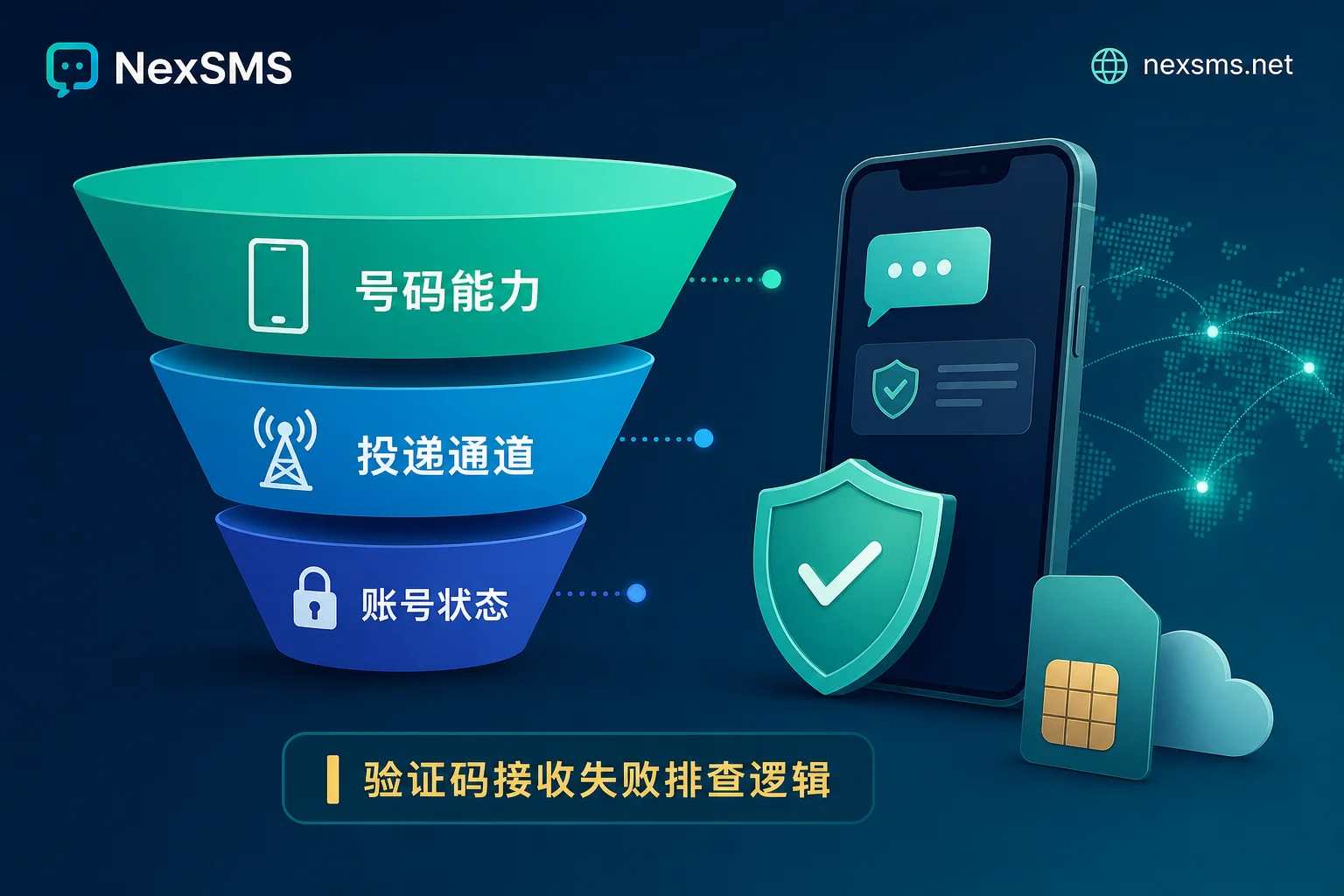
When you encounter a situation where you don't receive a verification code after changing your Apple ID to an overseas number, approach troubleshooting in three layers:
- Number capability: Does the number support receiving international SMS and voice calls? Can it receive codes more than once? The ability to receive SMS and voice repeatedly over time is something you should test yourself before purchasing or renewing, rather than making blanket assumptions about a category of numbers.
- Delivery channel: Is the SMS being filtered or delayed by the carrier's gateway? International SMS routes can be complex and may involve routing issues. Refer to troubleshooting methods for overseas platform SMS verification code timeouts.
- Account status: Are you stuck because the request must come from a trusted device? Or has the account already entered the account recovery process?
NIST SP 800-63B-4 classifies PSTN SMS and voice OTPs as "restricted authenticators," noting irremovable vulnerabilities such as signaling network interception and SIM swapping. This means relying solely on a single SMS channel carries inherent risk. You should maintain multiple trusted numbers and device trust as a hedge, rather than just swapping one number.
Recovery Cost and Rebalancing
If you've changed to a number that no longer works and you have no trusted device nearby, the only path is the official account recovery process. This comes with a cost of waiting and unpredictability. Apple does not publicly disclose the exact recovery duration; actual time depends on the complexity of risk control review.
After recovery, you'll need to rebalance your carrier strategy:
| Number Type | Suitable Scenario | Risk Notes |
|---|---|---|
| Renewable long-term number | Long-term re-receiving | Requires periodic confirmation of usability |
| Short-term/virtual number | One-time verification | Cannot re-receive; likely to break recovery chain |
| Physical SIM card | High security needs | Guard against SIM swapping attacks |
It is recommended to place the long-term re-receiving role on a renewable, exclusive long-term number, and use short-term numbers only for one-time scenarios. Also, retain device trust as a second path. If you had confirmed the new number's re-receiving capability during the swap, you wouldn't have had to go through the recovery process.
FAQ
How do I delete an old trusted phone number from Apple ID?
On a trusted device, go to "Sign-In & Security," tap "Edit" next to trusted phone numbers, and select the old number to remove. The account will not allow you to delete all trusted numbers; the exact block message will vary. Before removing, confirm the new number has passed multiple verification tests.
My old phone number is deactivated—how can I change my Apple ID verification number?
If the old number is deactivated but your device is trusted, add the new number directly on the device and verify it, then delete the old number. If the device is also lost, you'll need to apply for account recovery via Apple Support. This process cannot be expedited, and you must prove your identity.
I'm abroad and have no trusted device—how can I change my Apple ID number?
You cannot change it directly. You must initiate from a signed-in trusted device or official webpage. If you have no trusted device, you must first go through account recovery to regain device trust, or wait for a code sent to your old number to reset device trust.
Can I swap my Apple ID to a virtual number?
Technically yes, but it's risky. Most virtual numbers do not support long-term re-receiving and can easily be reassigned. If you use a virtual number, ensure it can receive a second and third code, otherwise, you risk breaking the recovery chain. Refer to documentation on whether virtual numbers get recycled.
After swapping, I keep not receiving codes—is it a network issue?
Not necessarily. The problem could be number filtering, lack of international SMS support, or the account entering recovery mode. Check the number type, try voice codes, or confirm whether the request must come from a trusted device.
Before you start swapping, think about whether this number will need to receive a second code in the future. If you need long-term support for an Apple trusted number, you can go to NexSMS and choose a renewable long-term number for your target country, run a re-receive test, and then delete the old number.


Comments(0)