 NexSms官方博客
You clicked send for the verification code, but it hasn't arrived, and your first reaction is often to click again. That's the exact step most likely to turn a 'slow' problem into a 'useless' one.
Remember this judgment first: Before you spam resend, most delays are just slow; after you spam resend, the code that arrives first is usually already invalid. Major platforms like Google and AWS commonly use a mechanism where only the most recently generated code is valid. If network lag causes you to click resend three times in a row, even if the first two codes arrive later, they're already useless. Worse, frequent requests can hit the platform's anti-abuse thresholds, causing temporary throttling of message delivery, stretching wait times from tens of seconds to tens of minutes or even hours.
So the correct order is: Wait long enough first, then self-check, and only then try alternative paths.
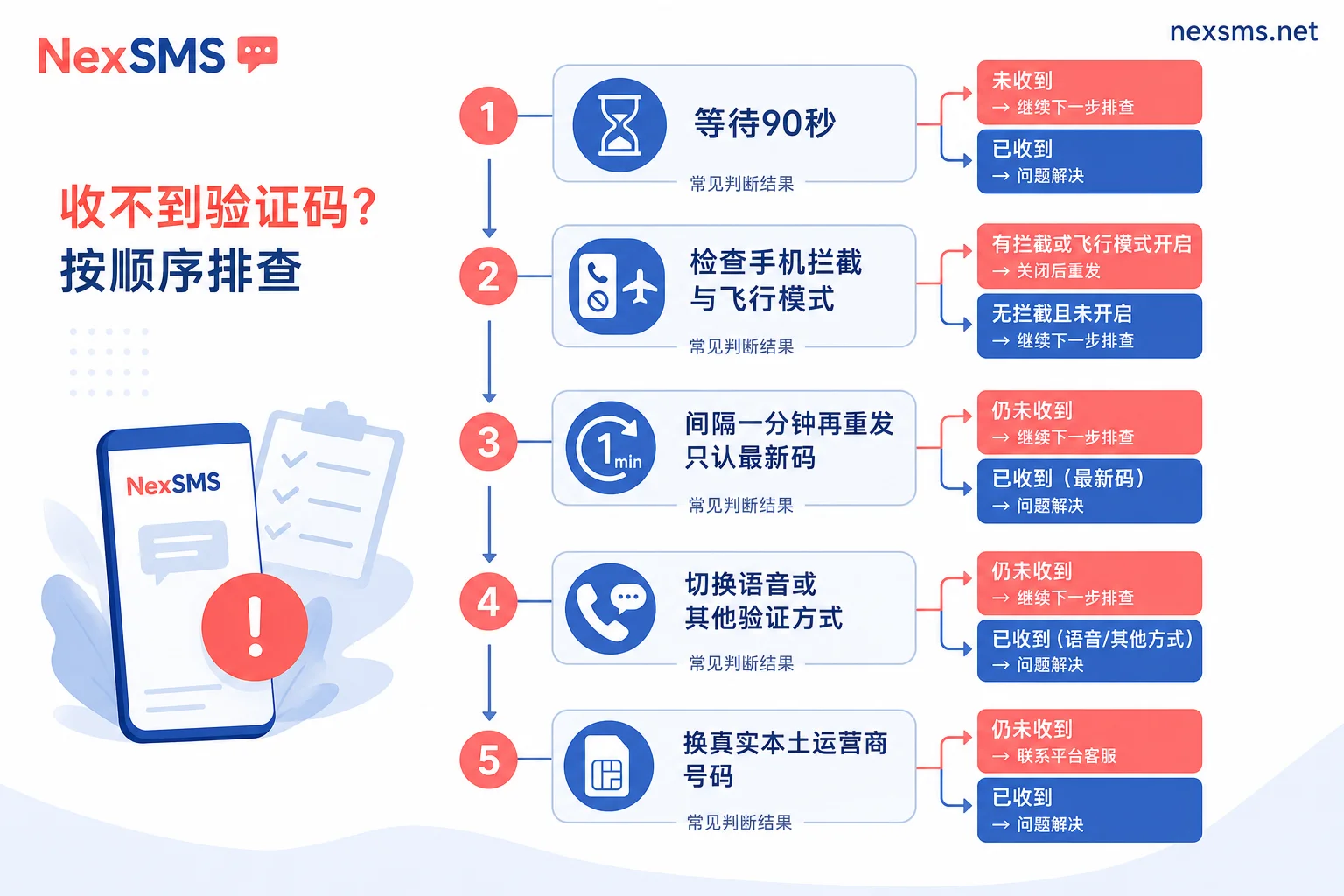
Step 1: Give It 60 to 90 Seconds
International SMS is not point-to-point direct. A verification code must pass through the platform's own messaging service, third-party gateways, cross-border routes, the destination country's core network, and finally reach your device. Any delay at any point will appear as 'clicked but no response.'
Under normal conditions, it arrives within a few tens of seconds. During cross-border, holiday, or peak periods, a delay of around a minute is not unusual. Treat 60 to 90 seconds as your waiting baseline. During this time, don't touch the resend button or switch pages to restart the process—many platforms treat re-entering the verification page as a new request.
If more than 90 seconds pass with no response, continue to the next step.
Step 2: Suspect Your Own Phone First
This step is often skipped, but its success rate is not low, and it costs nothing.
iOS and Android both have features like 'Filter Unknown Senders' and 'Spam Message Blocking,' and third-party security software may add another layer. Verification code senders often use pure numeric short codes or alphanumeric sender IDs without international prefixes, which are easily mistaken for promotional messages and silently moved to the blocked folder without notification. So:
- Open the messaging app's 'Unknown Senders,' 'Filtered,' or 'Spam' categories and check each one.
- Check the blocking logs of security apps and whitelist that sender.
- Ensure you haven't accidentally enabled Do Not Disturb or blacklisted the short code.
Another small trick is to toggle airplane mode once. This forces your phone to re-register with the carrier's network, potentially resolving temporary routing issues causing stuck SMS. Turn it off after 10 to 20 seconds; accumulated messages often come in together.
If you're using a web-based SMS receive platform, this step becomes: confirm you're viewing the inbox of the correct number and keep the page in real-time refresh; don't switch away or log in again during the receiving window.
Step 3: If You Must Resend, Wait Enough Time Before Clicking
Only after checking your phone and finding nothing should you consider resending. Follow these two rules:
- Wait at least a minute, don't spam click. Some platforms have a countdown for resending, but the countdown ending doesn't mean backend throttling is lifted.
- After resending, only recognize the latest code. Ignore any old codes that arrive late. Entering an old code won't work, and multiple failures may trigger additional risk controls on your account.
If you've already clicked resend many times, the most effective action is stop for 15 to 30 minutes and try again, allowing the platform's rate limit to naturally reset. Continuing to try during the throttle only extends the cooldown.
Step 4: If Possible, Switch to Voice Verification
When delays clearly stem from congestion on the SMS channel, switching channels is faster than waiting. Many platforms offer 'voice call to read the verification code' in addition to SMS. Voice uses call routing and bypasses SMS gateway queues, often bypassing backlogs.
Two things to note: The target platform must offer this option, and your number must be capable of receiving voice calls—some number types only have SMS enabled and can't receive calls. If either isn't met, don't force it. For details on verifying a number's voice capability, refer to What kind of number is needed to receive voice verification codes.
Also, check if the platform supports other verification methods: authenticator app-generated one-time codes, passkeys, backup codes—none depend on the SMS channel. If you can still log in normally, it's worth adding a backup verification method now to avoid being stuck by SMS again.
Step 5: Delay Is Often a Euphemism for 'Rejection'
If you've done the first four steps and the same platform repeatedly times out, or you've never received a single code, the problem is likely not on the road but at the source: the platform never intended to send to that number.
Major overseas service providers (AWS Pinpoint, Google, Microsoft, etc.) can identify the type of receiving number. They typically offer full delivery assurance only for real mobile carrier numbers. Numbers identified as VoIP or virtual virtual landing are often flagged as high fraud risk. The handling is best-effort delivery, carrier-side filtering, or outright refusal. To the user, it appears as 'still waiting' with no error on the page.
Cross-border scenarios have similar issues. Overseas carriers have anti-spam policies against unregistered international senders, which may throttle, filter, or even drop messages. Using a non-local number to receive SMS from a local platform, or if your number is roaming, delays are amplified.
Testing is simple: Try a known-good real number on the same platform. If the new number receives codes in seconds, the previous number was degraded or rejected, and continuing to wait or resend is pointless. For specific rejection behaviors on platforms like ChatGPT or Google, compare ChatGPT/Codex phone verification rejecting VoIP and What to do when Google account SMS verification is rejected.
If You Decide to Switch Numbers, Choose Based on These Three Points
When it comes to switching numbers, the basis for choice is not price but these three things:
Does the number's country match? Prioritize the country where the target platform is based or mainly serves. A local number receiving local SMS has the shortest route and the lowest chance of being caught by anti-spam policies.
Is it a real carrier number? This is the key attribute determining whether you receive messages. It's not that all virtual numbers are bad, but numbers identified as VoIP carry significantly higher risk.
Will you need to receive messages on this account later? For one-time registration, a short-term number suffices. For long-term login, cross-device verification, or accounts linked to payments and assets, choose a number you can keep. Once the number is reclaimed, you'll be locked out when you need it most.
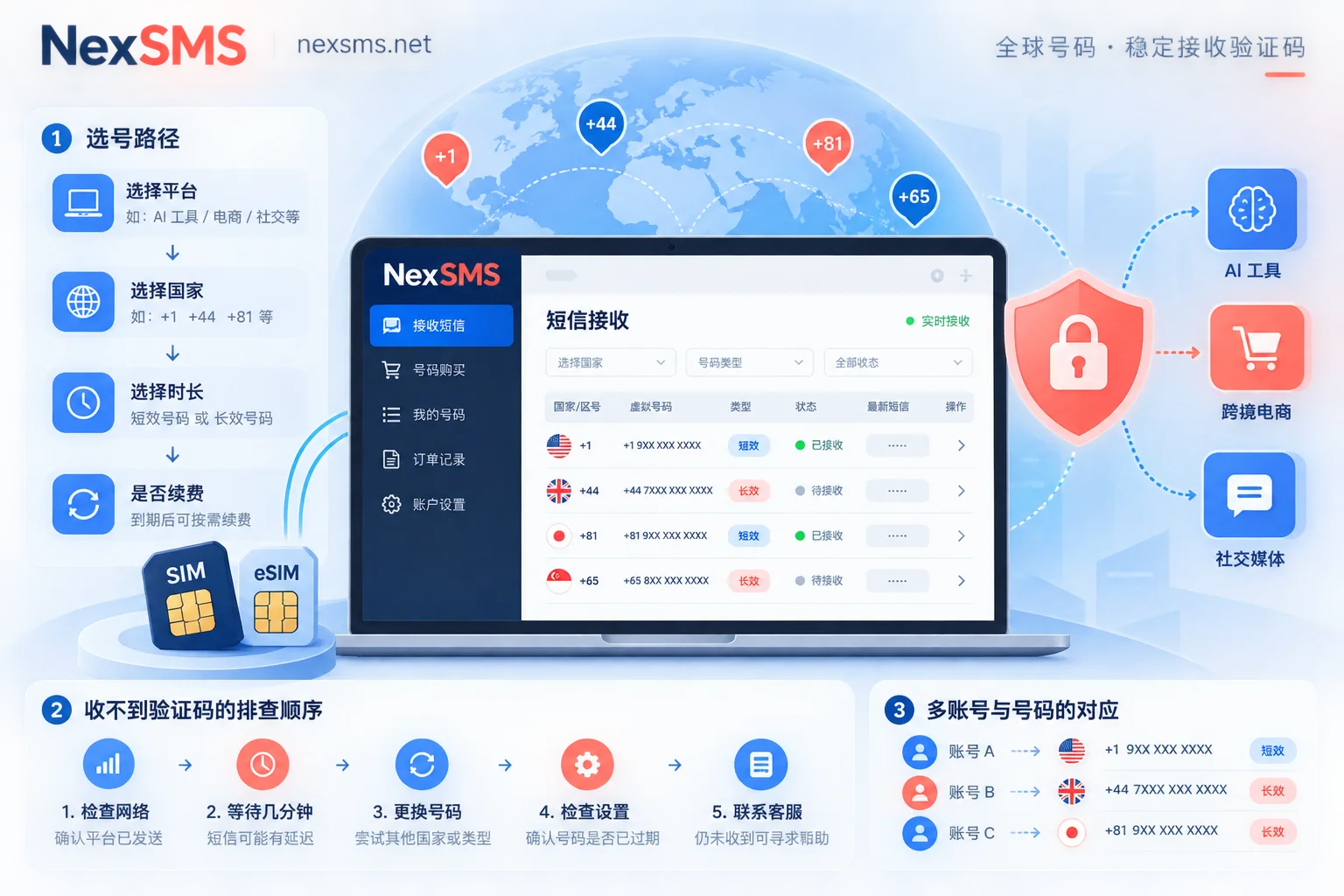
To choose a number based on these points, on NexSMS you can first select the target platform and country to see available numbers, with real-time SMS display on the web. It's worth understanding the difference between the two types: Short-term regular numbers are pay-per-use with a very short validity, suitable for one-time verification; premium long-term numbers are real carrier local numbers (physical SIM and eSIM, not virtual landing), renewable, and allow unlimited SMS reception during validity, suitable for accounts requiring repeated login and verification—learn the difference between short-term and long-term numbers and renewal conditions here, enter by country here. If you want to see what it looks like when receiving codes, there's also a free public number page without registration to try.
A note: Number type only affects the probability of approval; whether you can pass a particular platform's verification ultimately depends on that platform's rules at that time. Long-term numbers also require renewal before expiration to keep them.
Two Extra Notes for Multi-Account and Developer Scenarios
When managing multiple overseas accounts simultaneously, there's an often-overlooked cause of delays: platform risk control looks at number, IP, and device fingerprint together. Multiple verification attempts from the same egress IP within a short time may be silently degraded even if the numbers are fine. This isn't about the number itself—for multi-account environments, isolation is handled by NexBrowser, and network egress by NexIP. If you encounter 'all numbers time out after switching,' it's worth checking in this direction.
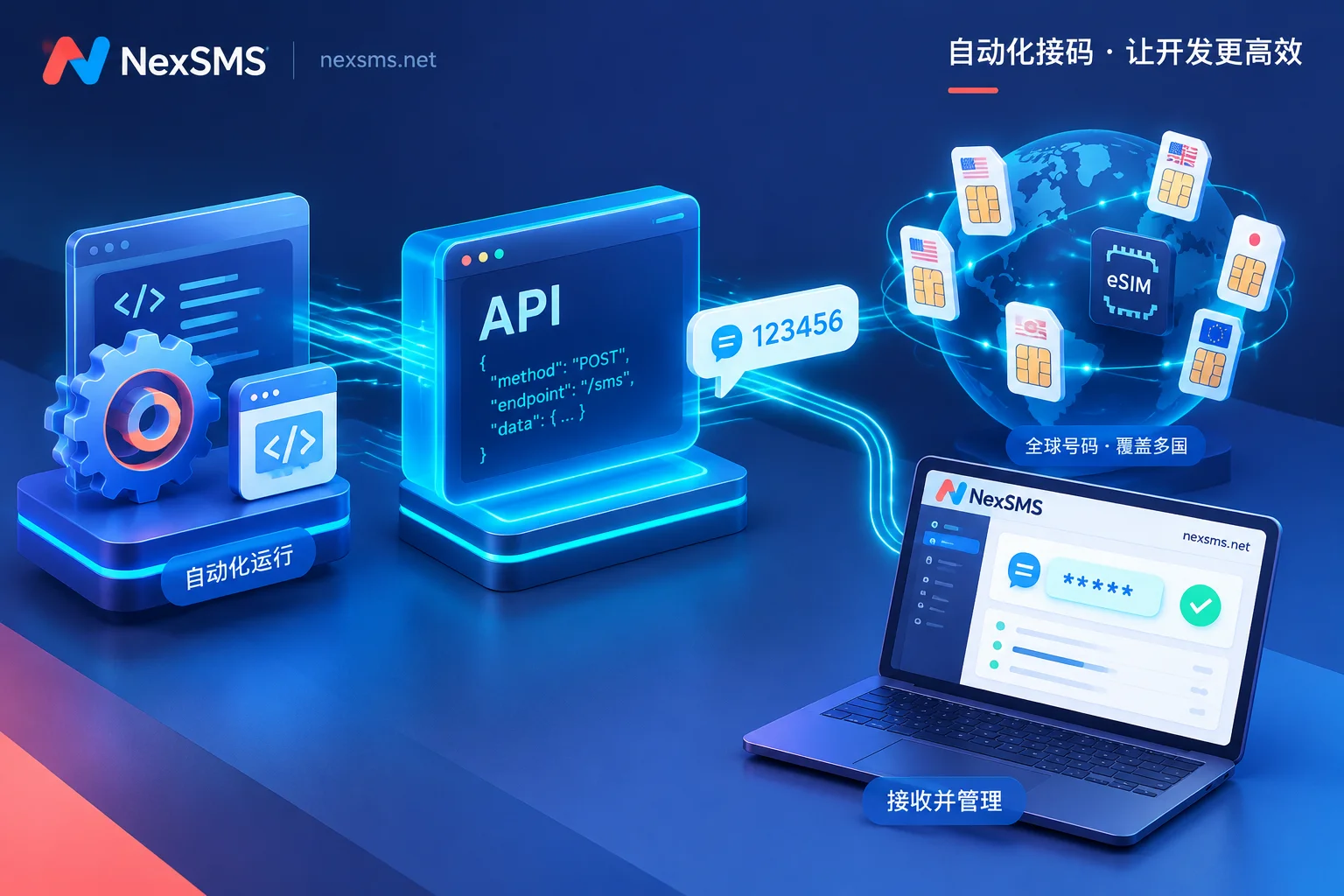
For teams integrating batch verification via API, hardcode two rules in your code: minimum interval for resends to the same number and only validate the most recently generated code. These two rules will eliminate most 'received but says invalid' tickets. For the number and SMS reception part, you can use the developer API. See SMS reception instructions by application scenario for integration details.
Finally, back to the opening: When a verification code doesn't arrive, the most valuable actions are to wait 90 seconds and check the blocked folder; the least valuable is spamming resend. If you follow the right order, most delays can be diagnosed within minutes. If it's identified as number rejection, don't waste time—switch to a number with the right type and country and try again.


Comments(0)