 NexSms官方博客
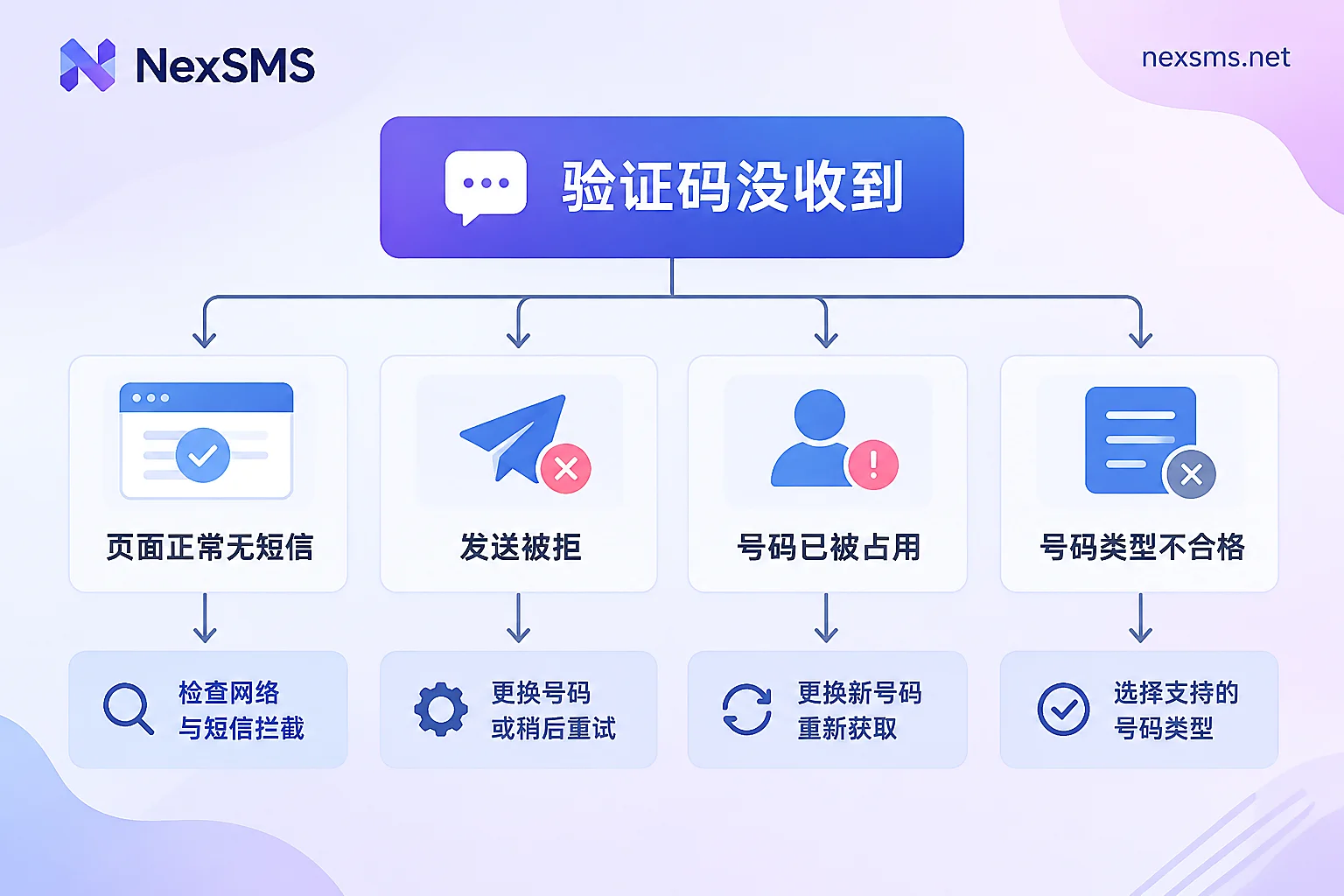
First, read the on-screen prompt clearly before deciding what to do next. Claude phone verification failures generally fall into only four types, and each requires a completely different approach—using the wrong method can actually lock you out longer:
- You clicked send, the page looks normal, but no SMS arrives — This is a delay or delivery issue. Wait first; don't keep clicking.
- Shows "Unable to send verification code to this number. Try a different number or try again later" or "Error sending code" — The send request was rejected on Anthropic's side, most likely triggering risk control. Switching numbers immediately won't help.
- Shows "Phone number is already in use" — The number has reached the maximum number of Claude accounts it can be bound to.
- No number can send, or it's rejected immediately after entry — Most likely the number type itself is not accepted.
Below, we address these four cases separately.
1. Page normal but SMS doesn't arrive: give it five minutes, don't keep clicking
Claude sends a 6-digit numeric verification code, and the official help center explicitly states it "may take a few minutes to arrive." Cross-border SMS must pass through international gateways and local carriers, so tens of seconds to two or three minutes is normal.
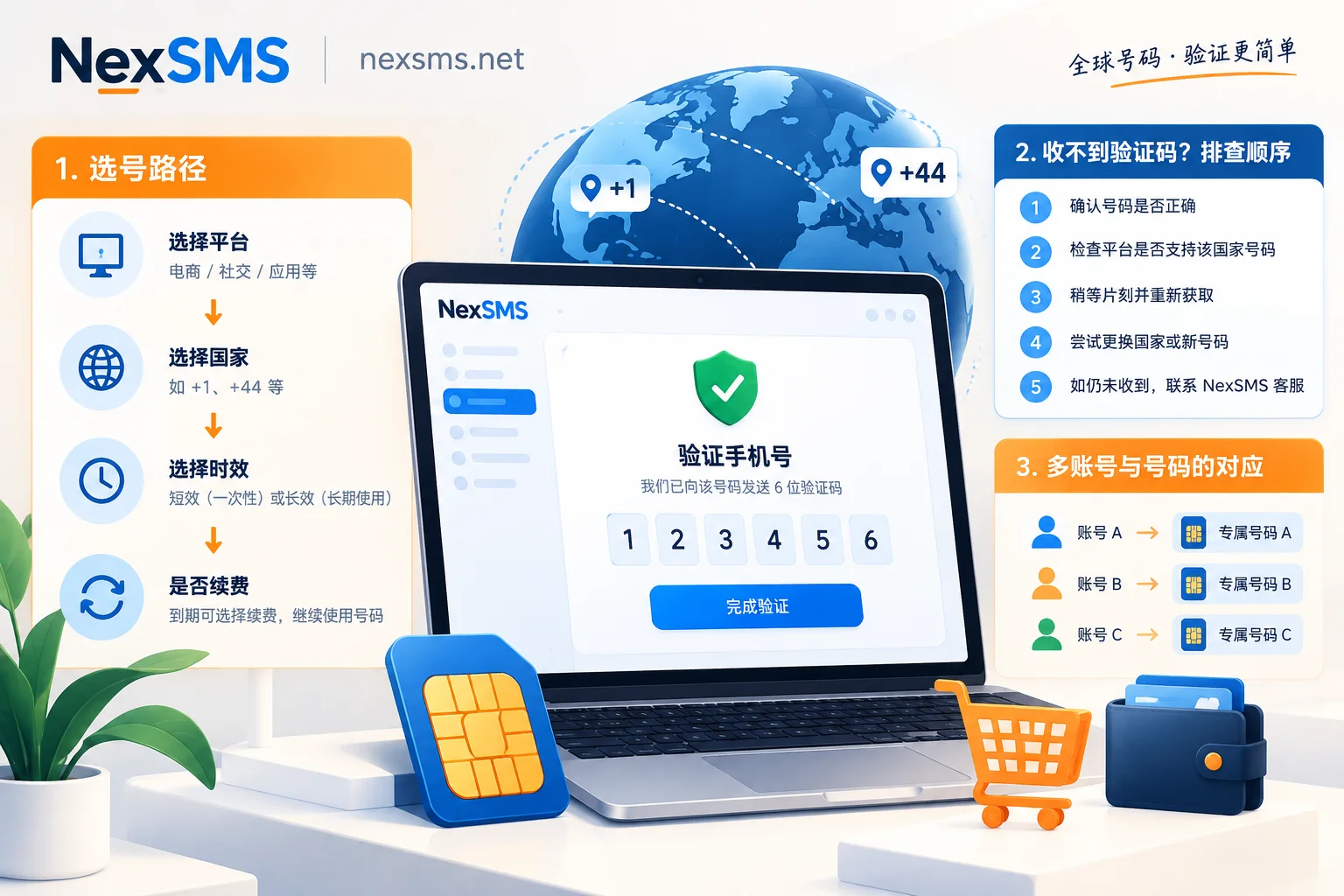
So the correct rhythm is: after sending, wait 5 minutes by the clock, and do not repeatedly click Resend during this time. If it still hasn't arrived after 5 minutes, follow the official suggestion to click "Try again" to reset the verification popup, recheck the country code and the number itself, and send again.
Two common pitfalls when checking:
- Wrong country code selected. The dropdown's +1 covers the US and Canada, and similar options like +44 or +61 are easy to misclick. If you choose wrong, the SMS goes to another real number.
- The number has an extra leading 0 from domestic habit, or you filled in the local-format leading 0 in the international format field.
There's another scenario: the number can receive regular SMS but not international service messages. Some carriers or number ranges block overseas senders. In this case, the page won't show an error—you just never receive it. If two attempts come up empty, don't waste more time on this number.
For general guidance on "how long counts as delay, when to switch numbers," see What to Do About Verification Code Delays: Troubleshooting Order from Stopping Resends to Switching Numbers.
2. Send failure prompt: this is risk control, switching numbers won't save the moment
Seeing "Unable to send verification code to this number. Try a different number or try again later" means the request never reached the SMS channel. At this point, many people's first reaction is to immediately try another number, and then the second and third numbers also fail—it's not the number's fault; your session/IP/account has been temporarily rate-limited.
Reports in developer communities indicate that repeatedly clicking resend or entering multiple rejected numbers in succession triggers a system-level lock. After that, even switching to a perfectly normal number will continue to be blocked, usually requiring a cooldown of one to several hours. Anthropic does not publicly disclose the exact unlock duration; the backend uses dynamic rules, so there's no precise countdown.
Practical steps:
- Stop. Leave it for at least 1 hour. If the account is important, wait until the next day.
- During cooldown, do not frequently switch network exits. Repeatedly changing IPs only makes the session look more anomalous. Keep one stable, clean residential exit and don't touch it from start to finish.
- When retrying, try only one number at a time. If it fails, stop. Don't try three in the same hour.
The core here is "wait," not "try." One extra attempt may restart the cooldown timer.
3. "Phone number is already in use": one number supports at most three accounts
This is a hard rule: Anthropic limits the same phone number to verify at most 3 Claude accounts. Once at the limit, the system simply rejects it, regardless of number quality or network environment.
There are only two paths when you encounter this:
- Switch to a number never used on Claude before;
- Or contact official support to request unbinding the number from the old account, freeing up quota.
Note that the second option may not be fast and isn't guaranteed to be accepted. If you have multiple Claude accounts to maintain, allocate numbers by account from the start—don't expect one number to last. Once the three slots are used, they're used.
Incidentally, this is one reason not to use your main number for registering on various platforms: binding quota is a scarce resource. For allocation ideas, refer to Main Phone Number Privacy Isolation.
4. Ineligible number type: which numbers fail from the start
Anthropic's help center states directly that the following number types are not accepted:
- VoIP virtual numbers;
- Google Voice;
- Numbers generated by SMS-receiving apps;
- Landlines;
- Any number that cannot receive SMS.
Also, the number's country must be within Claude's supported range. Together, these two rules mean many numbers that "can receive SMS" are still deemed ineligible by Claude—being able to receive and being recognized are two different things.
The determination is based on number-range ownership databases, not whether you can receive an SMS at this moment. So repeatedly trying a flagged number range only pushes you into the cooldown state from the previous section. Platforms like ChatGPT and Google have similar number validation logic; for an analysis of causes, see ChatGPT/Codex Suddenly Requires Phone Verification: Why Chinese Numbers and VoIP Are Rejected.
5. When switching numbers, what to choose
After confirming it's a number issue, picking a number comes down to three things:
Country. Choose a country within Claude's supported list, and try to keep it consistent with your current network exit. A US number + US exit is the most common combination; inconsistency makes the whole verification look more suspicious.
Number range nature. It must be a real carrier mobile number range, not a VoIP landline. This determines whether you pass the first number-range check.
Whether re-receiving is needed. This point is most easily overlooked but has the biggest impact. Claude accounts may require phone verification again during security reviews, environment anomaly rechecks, or email rebinding. If you used a one-time number that expired long ago, you won't receive the code and can't prove the account is yours—the account risks being lost.
So the criterion is simple: for temporary trials, short-lived numbers suffice; for accounts you want to keep long-term, with subscriptions or work content, you must choose a number you can hold long-term and repeatedly receive codes on.
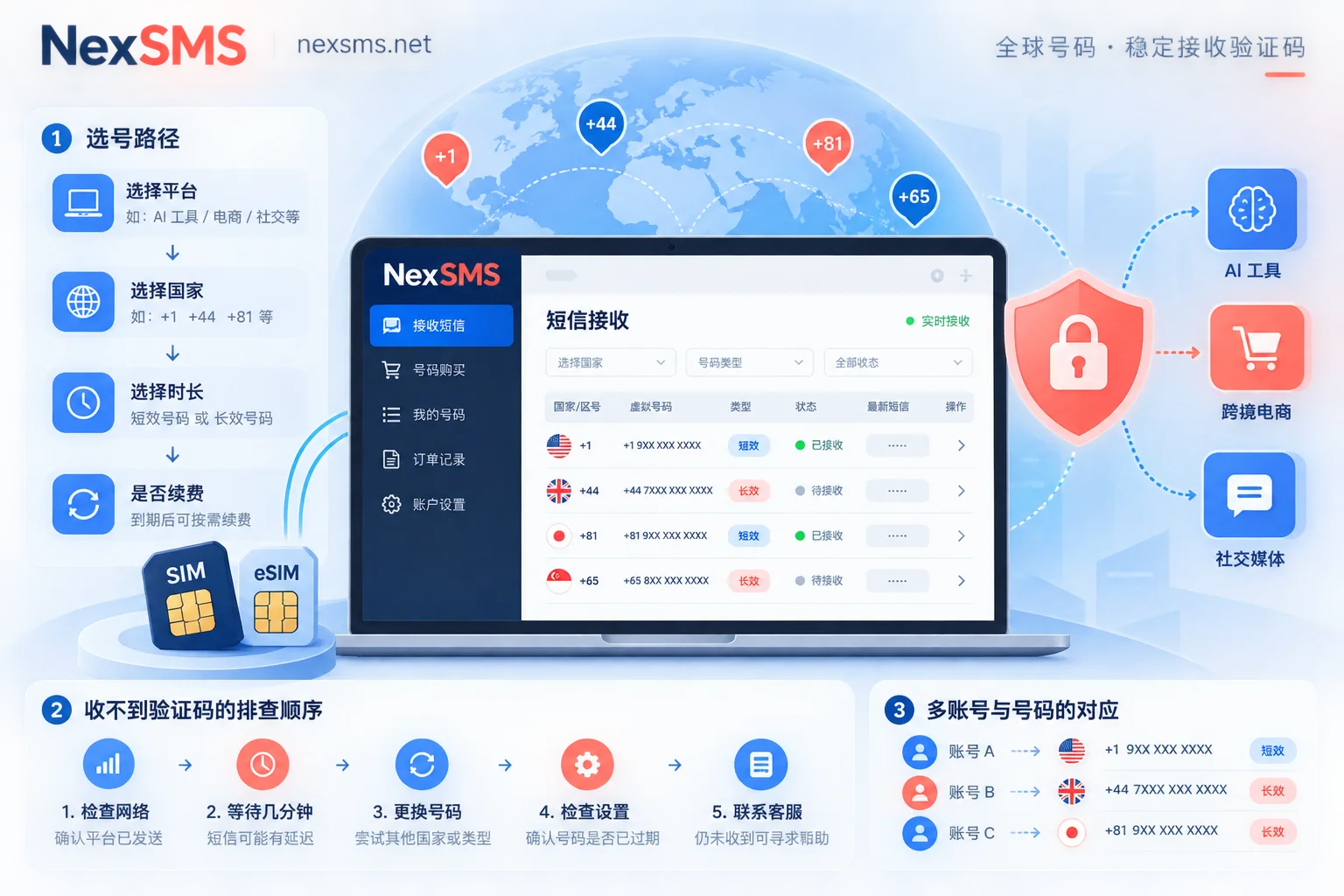
NexSMS's numbers fall into two categories that exactly match these two needs: short-lived regular numbers are billed per use with a very short validity, used once for verification and then done—suitable for just trying things out; long-lived premium numbers are real carrier local numbers (physical SIM and eSIM, not virtual landlines), renewable, with unlimited code receptions during validity, so subsequent rechecks and rebinding can use the same number. To choose by country, you can go directly to a country page like the US number page to see currently available number ranges.
It should be noted that the number type only affects whether you pass the first screening; whether a specific number can pass Claude's verification at a specific moment is ultimately determined by Anthropic's rules at that time, and no vendor can guarantee it on the platform's behalf. Anthropic also does not provide a public number-range query API.
For the difference between short-lived and long-lived, and why public free numbers aren't suitable for registering main accounts, see What Is a Private Temporary Number.
6. Full sequence for trying again
Stringing the above into an executable process:
- Confirm whether you're currently in a cooldown period. If there's an error record, wait at least 1 hour first.
- Fix your network exit: choose a stable node in the same country as the target number, and don't switch throughout.
- Prepare a real carrier mobile number in a supported country that has never been verified on Claude.
- Go to the verification page, carefully check the country code and number format, and click send.
- Wait a full 5 minutes. If it doesn't arrive, click "Try again" to reset the popup and send once more.
- If it still fails, stop. Don't switch numbers and keep trying. Come back a few hours later or the next day.
A final reminder: this process only applies to verifying your own account. Receiving codes for others, bulk registration, and similar uses are out of scope, and platform risk control is mainly aimed at them.
Multi-account browser environments, network exits, and email identities are three separate matters. If you really need to maintain multiple accounts simultaneously, each has its own supporting tools. Here we only cover the number and code reception part.


Comments(0)