 NexSms官方博客
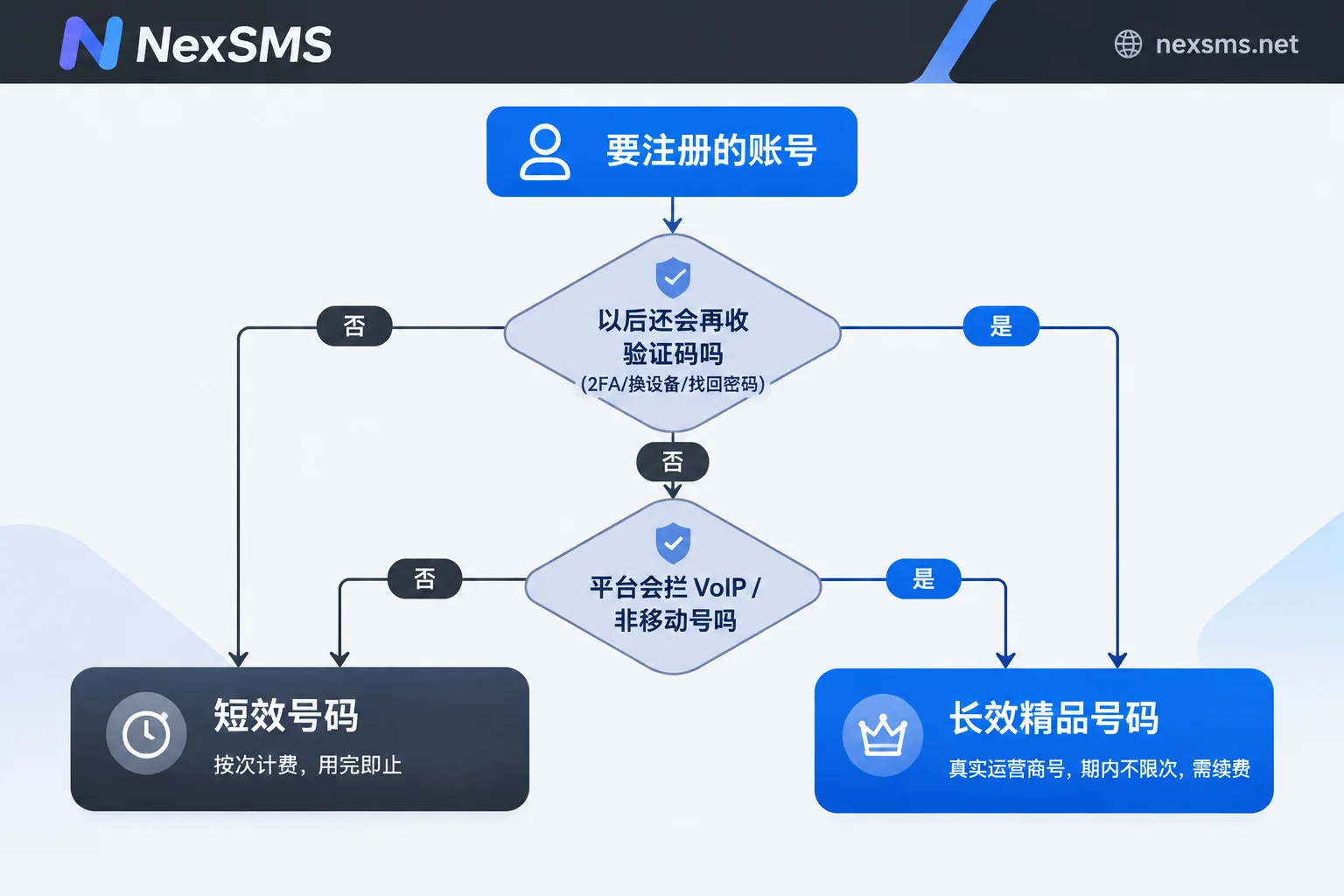
Don't start by comparing prices when choosing a number. Answer two questions first, and the answer is basically settled:
- Will this account ever need to receive another verification code? This includes phone two-step verification, new device login, risk control re-verification from a different location, and password recovery.
- Will the target platform check the line type of the number? That is, will it identify and block VoIP, virtual landline numbers, or non-mobile numbers?
If either question is "yes," go with a long-term premium number. If both are "no," a short-term number is the more economical choice. The remaining details all revolve around these two points.
The difference isn't just "how long it lasts"
- Short-term regular numbers: billed per use or per unit, with a very short validity period; they are used up once a verification is completed.
- Long-term premium numbers: real carrier local numbers (physical SIM and eSIM, not virtual landline numbers), held on a subscription basis, with unlimited code reception during the validity period; renewing before expiry lets you keep the same number.
In practice, the difference comes down to three things: validity period, ability to receive codes again, and line type. The first two are obvious to everyone; the third is most easily overlooked, yet it is often the reason registration fails on the spot.
Line type: many registrations are rejected at the first step
Telegram, WhatsApp, and some financial and major platforms have access to carrier number range databases. The moment you click "Send verification code," they can determine which type of line the number belongs to. If it matches VoIP or a non-mobile number range, they will reject it outright—for example, Telegram's common Sorry, we don't support VOIP and non-mobile number; WhatsApp Business also no longer supports VoIP number registration. Another type of restriction appears after login: some platforms' multi-factor authentication explicitly does not accept VoIP numbers as a two-step verification channel. Registration may pass, but binding 2FA gets rejected.
This is why real carrier local numbers have a higher pass rate: in the number range database, they are normal mobile numbers and do not trigger this rule.
There are two exceptions to remember. First, platform rules differ and change; a number range allowed by one platform today may be tightened next month. Don't apply one platform's conclusion to all tools. Second, line type is only one dimension of risk control. A compliant number does not guarantee successful registration; whether it ultimately passes depends on the platform's rules at that time.
When a short-term number is enough
If the following applies, a short-term number is perfectly suitable and there is no need to spend more:
- One-time trial of a tool; after registering, you take a quick look and never log in again;
- Temporary events, one-time claims, surveys, or form verification;
- Automated integration testing during development, where you only need to get the SMS channel working;
- The platform treats the phone number only as an initial activation threshold, and you can later switch to an authenticator app (TOTP) or email for two-step verification;
- The account itself accumulates nothing: no balance, no subscription, no customer data, no API key.
Here is an action that significantly reduces risk: right after successful registration, go into security settings, switch two-step verification to an authenticator app, save the backup recovery codes, and then remove or downgrade the phone number from the verification channel. Once this is done, the short-term number's "use once and done" nature is no longer a hidden danger. For how to layer SMS, passkeys, and authenticators, see Is SMS OTP Secure or Is a Passkey More Reliable.
When not to skimp
If any of the following is true, go directly with a long-term premium number:
- The target platform blocks VoIP, such as Telegram, WhatsApp, and some Google and financial services;
- The phone number is the only or mandatory two-step verification channel, and the platform does not allow switching to TOTP;
- The account accumulates assets: subscriptions, balances, stores, customers, API credentials, chat history;
- You will log in from different devices, switch network egress, or regularly clean browser environments—these actions are precisely the ones most likely to trigger SMS re-verification.
The failure mode of short-term numbers in these scenarios is very specific and worth understanding in advance: everything is fine on registration day. Two weeks or two months later, you switch to a new computer, or your IP location changes, or cookies expire and you need to log in again. The platform pops up "We sent a verification code to ···88"—but that number expired long ago. At this point the account is effectively locked. Manual appeals on most platforms are very difficult in this situation because you can neither prove ownership of the number nor provide a backup code.
If you are struggling with a specific platform, you can compare the criteria in these two articles: Which Country's Number Is More Stable for Telegram Registration, ChatGPT/Codex Suddenly Requires Phone Verification: Why Chinese Numbers and VoIP Are Rejected.
For long-term numbers, there is only one thing to watch: renewal
Long-term premium numbers are held on a subscription basis, with unlimited SMS reception during the rental period, but you must renew before expiry to continue holding it. Once it expires and is released, the original number may be gone forever, and accounts bound to it will fall into the "locked" pit described above.
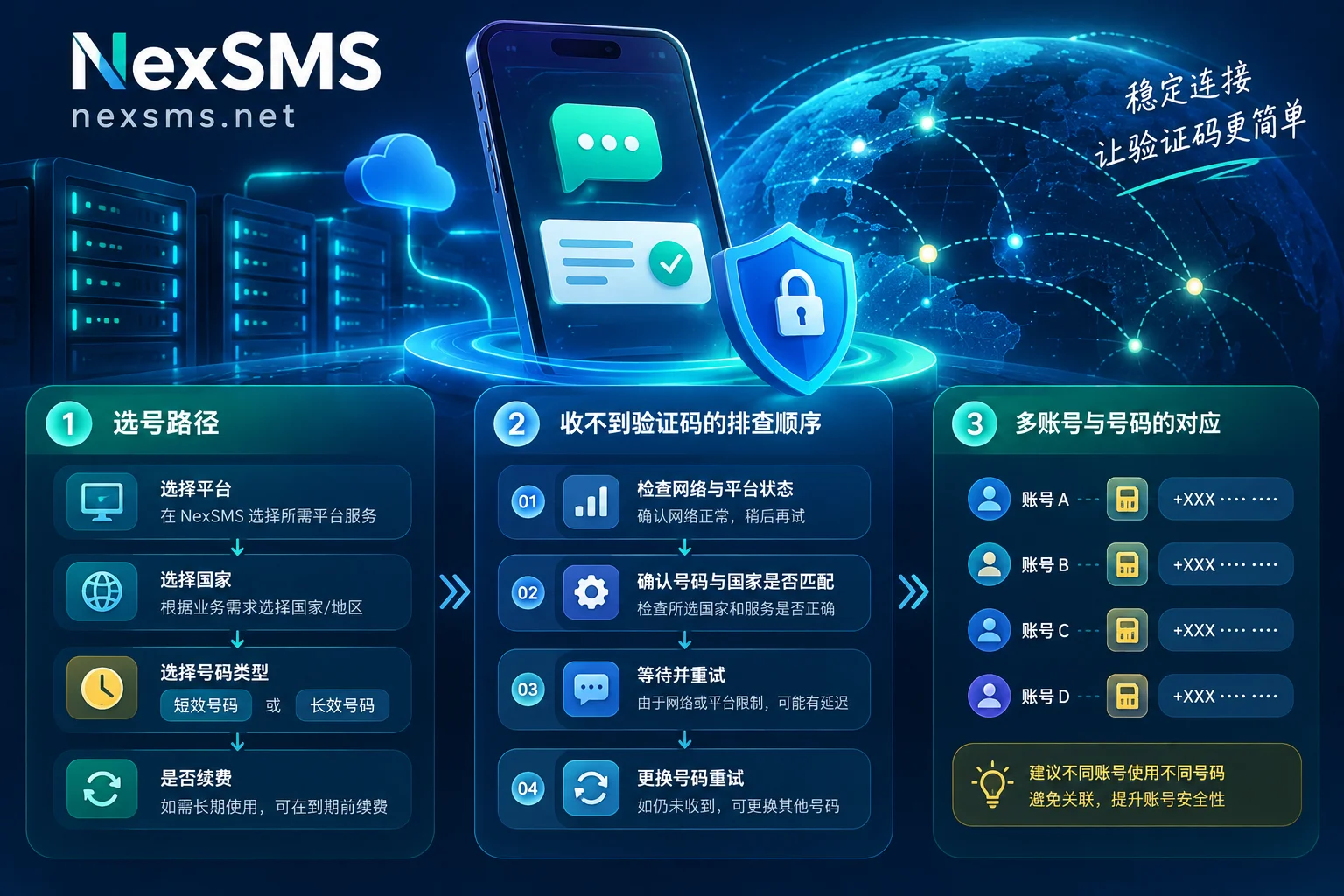
So after getting a long-term number, make a quick reference table: which number, which country, which accounts are bound to it, and the next renewal date. For individuals maintaining three to five accounts, memory may suffice; for teams maintaining a dozen overseas accounts at once, this table is essential—otherwise the first to fail is often the most important number. Specific renewal conditions are subject to the official website. The NexSMS features page describes the difference between short-term and long-term numbers and the renewal rules.
After deciding, pick a number in this order
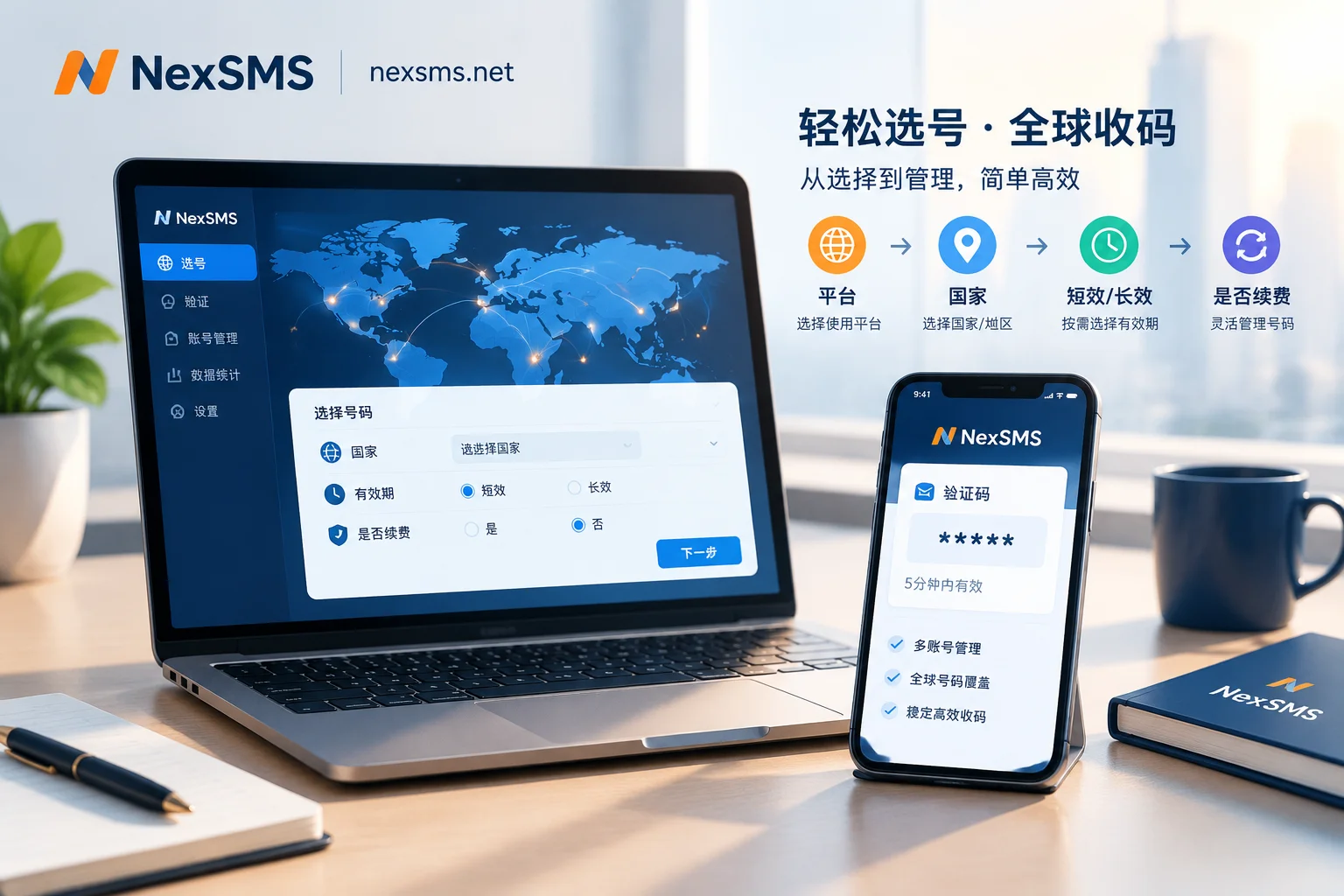
- Check platform requirements first: which countries it supports, whether it accepts virtual numbers, and whether verification happens at registration or after login. You can check application-specific SMS notes directly on the NexSMS use cases page.
- Then decide the country: follow the platform's supported list and where your account is actually used—it's not about the number being "more premium." If the number's home country is too far from where it will be used, it may actually trigger risk control re-verification at login.
- Finally decide short-term or long-term: use the two questions from the beginning.
- Receive the code: the web interface displays incoming SMS in real time; for batch or automated scenarios, use the developer API.
If you are unsure whether a platform accepts a number, you can first try registering with a short-term number. If it passes, at least the registration step works on that line. If it fails with an error pointing to VoIP/non-mobile, the problem is line type, and you need a real carrier number rather than resending the code. Conversely, note: a short-term number passing only means the registration step passed; it does not mean the account will never be lost later due to re-verification.
If you still can't receive a code after several attempts, don't rush to resend continuously. Go through the troubleshooting order for delayed verification codes. Many times the issue is sending rhythm and platform rate limits, not the number.
The number is just one link in the chain
Finally, to set expectations correctly: the SMS verification platform is responsible for providing numbers and displaying received SMS in real time. Whether registration succeeds and whether the account is flagged as abnormal depends on the target platform's risk control rules at that time. Long-term maintenance of multiple overseas accounts also depends on environment isolation (browser fingerprinting and account non-association) and whether the network egress is clean—these are handled by NexBrowser and NexIP, respectively, while email and identity information fall under NexMask. Choosing the right phone number is just about making one link solid.


hello!,I really like your writinng so much! proportion we keep up a correspondenc more
approximately your ppst on AOL? I ned aan expert in this space too solve mmy problem.
Maybe that is you! Taking a look forwarrd too peer you.
xnxx